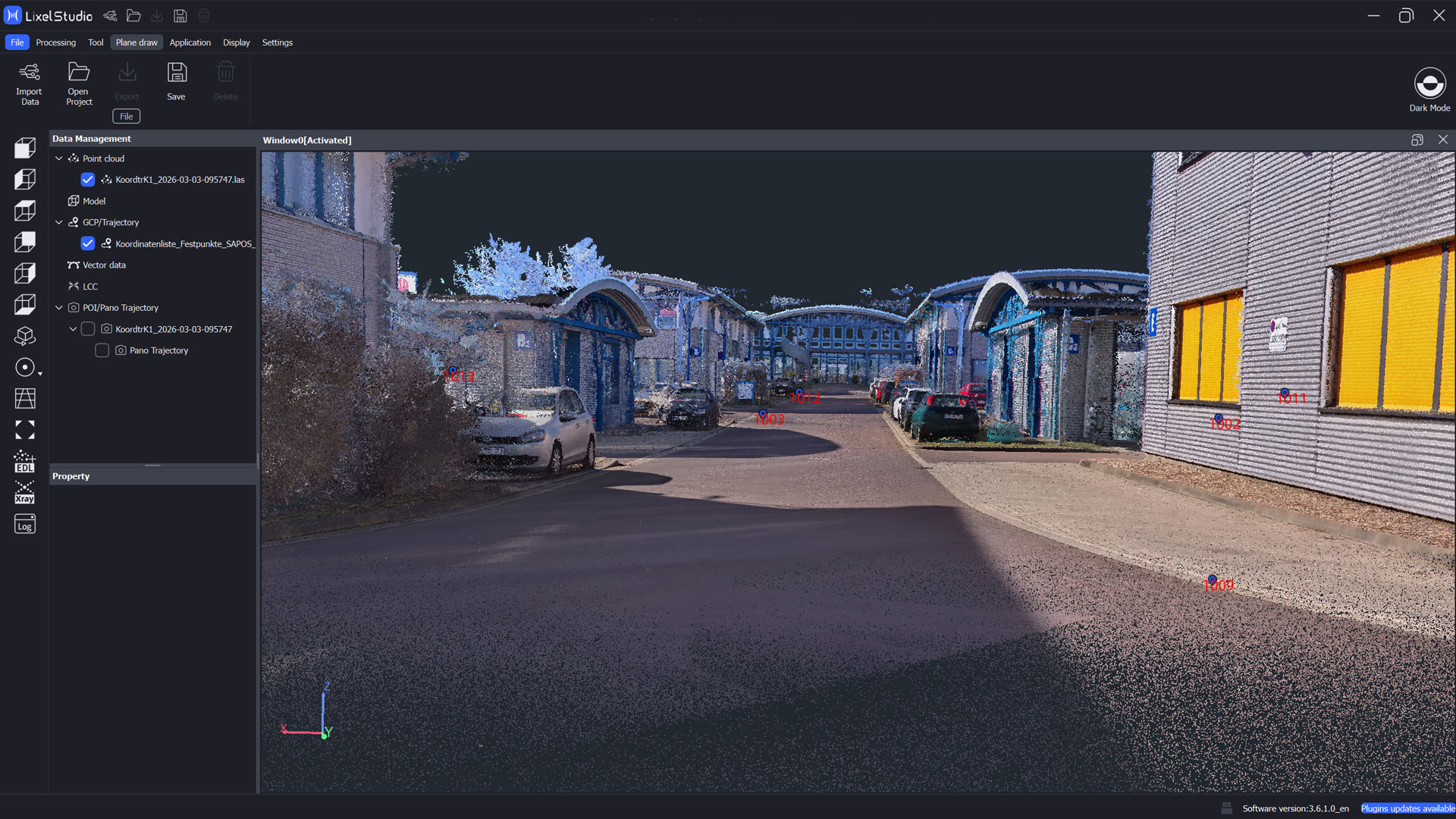
Coordinate Transformation with Ground Control Points (GCPs) in Lixel Studio

TitleWhy coordinate transformation?
Point clouds generated by scanners are always created within a local coordinate system defined by the scanner itself. For many applications, especially in engineering, construction, or surveying, it is necessary to transform these point clouds into a global or project specific reference system.
Only then can the scan data be combined with other georeferenced information, CAD models, or existing survey plans. A coordinate transformation enables the precise transfer of locally captured points into the desired reference system and makes the point cloud usable for further analysis and planning tasks.
TitleRequired Reference and Measured Data
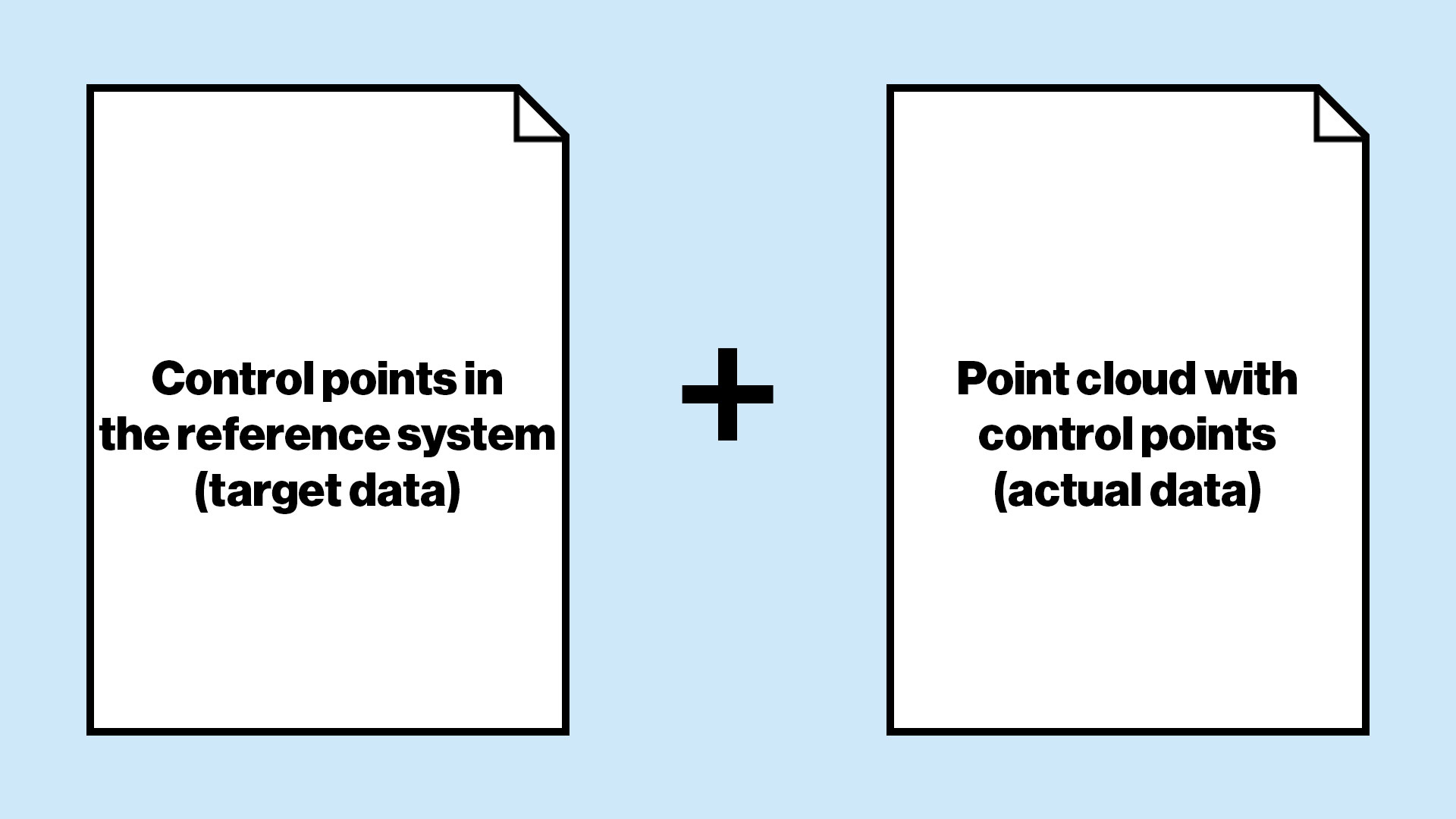
For a coordinate transformation using GCPs, identical points in two coordinate systems are required.
On the one hand, the coordinates of the control points in the defined reference system, referred to as target data, such as ETRS89 / UTM or a plant coordinate system. On the other hand, the same points within the captured point cloud, referred to as actual data, which initially exist in the scanner’s local coordinate system.
Only by clearly matching these target and actual coordinates can the point cloud be correctly transformed into the desired reference system.
TitleWorkflow for coordinate transformation with Ground Control Points
Capturing absolute points for georeferencing
For the absolute capture of points, GNSS receivers or total stations can be used. In our field project, we used a GNSS receiver from Emlid and achieved an accuracy of approximately one centimeter.
The advantage of GNSS receivers is the rapid acquisition of points. In addition, the integrated tilt compensation allows the survey pole to be held at an angle without affecting measurement accuracy.
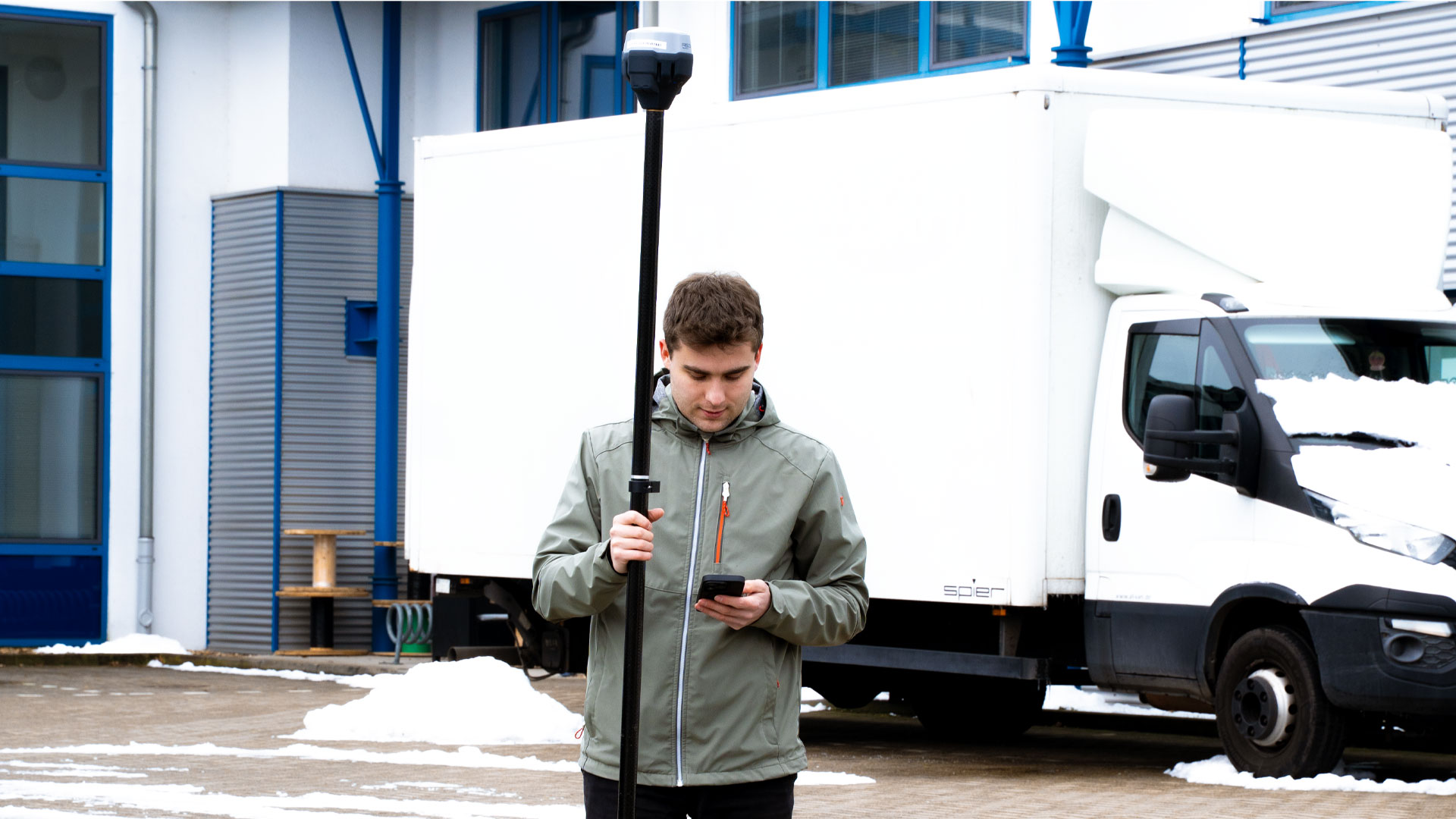
Capturing control points during scanning with the 3D scanners Lixel K1 and L2 Pro
Using the XGRIDS Lixel scanners, we captured the control points directly during the scanning process. Once a scan is started with the Lxel K1 or L2 Pro, control points can be added.
These points are stored as fixed, defined positions within the point cloud and assigned a unique name. For coordinate transformation, we recommend at least three control points. Four points are preferable to ensure stability and improved computational reliability.
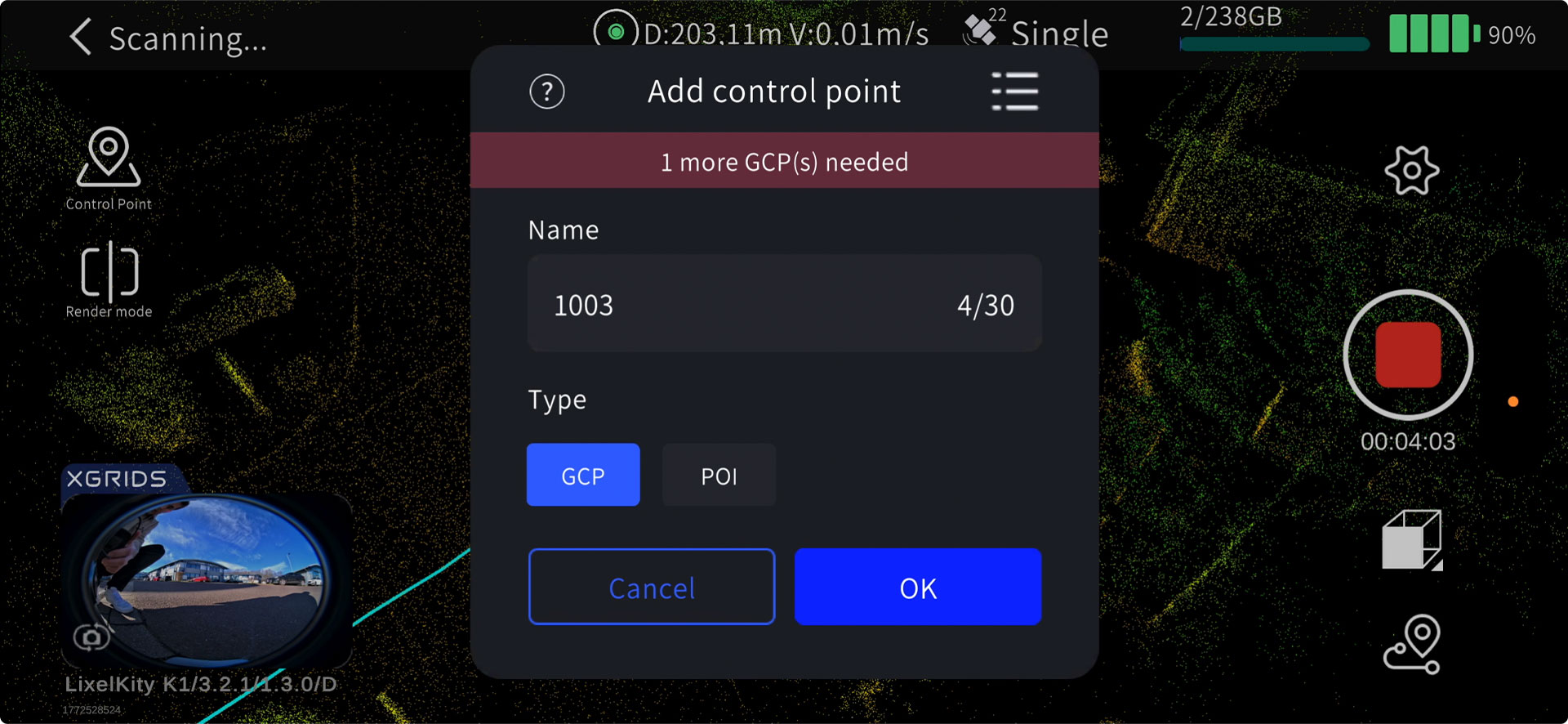
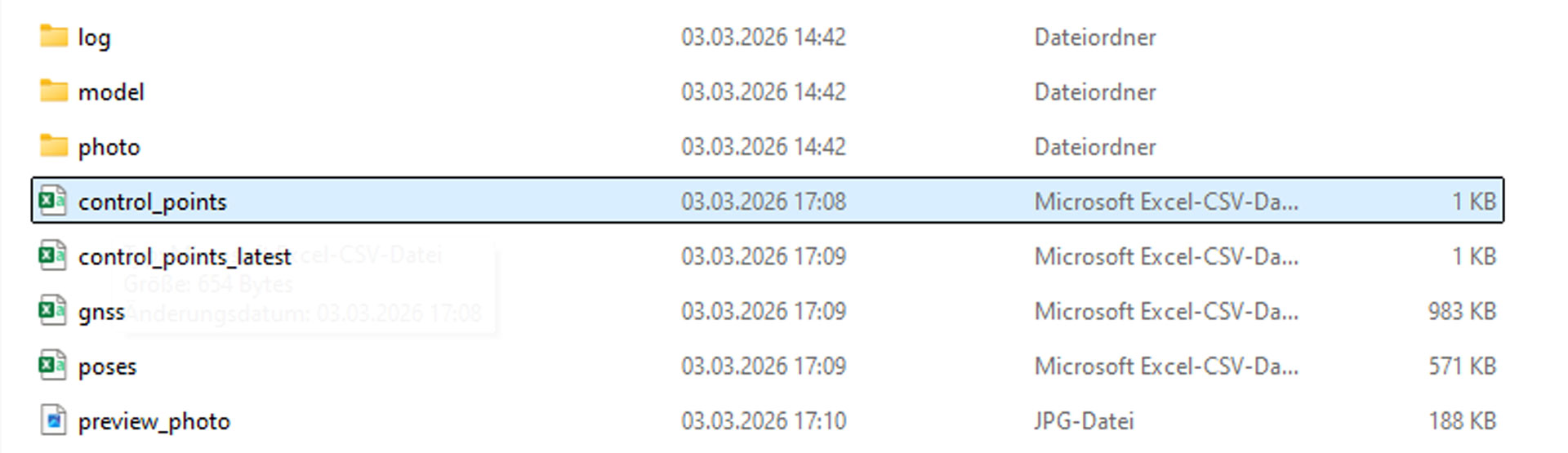
After scanning, the points are automatically saved as a CSV file in the scan project folder under the subfolder project_data. The file is typically named control_points.csv. Point names can be adjusted if necessary before being used for coordinate transformation.
Preparing the absolute points data for Lixel Studio
After collection with the GNSS system, the points must be converted into the appropriate format for Lixel Studio. Two file formats are supported.
In the CSV file, the points are listed in a column format, with values separated by commas and no spaces. The order is Point Name, Easting, Northing, and Elevation.
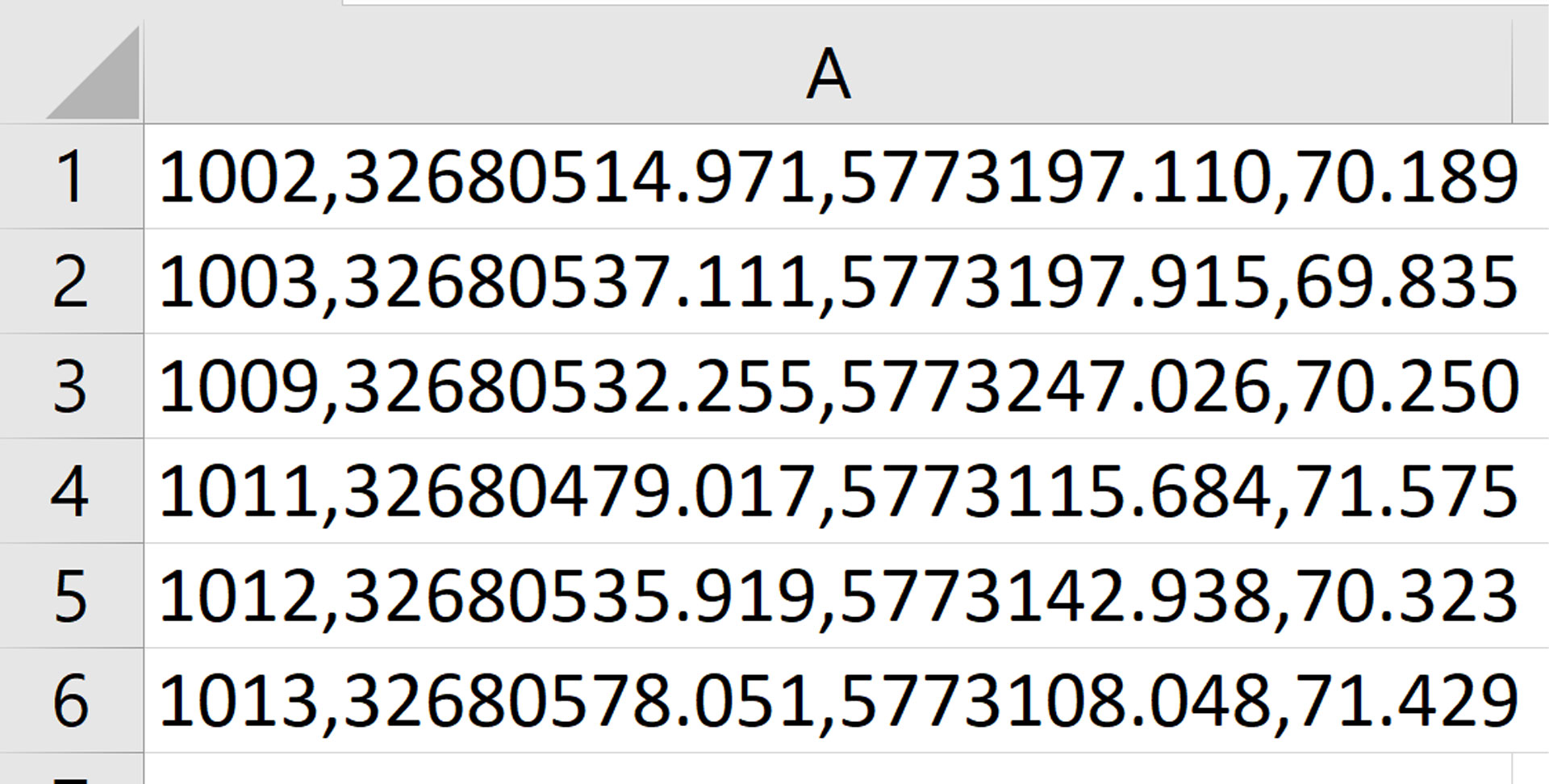
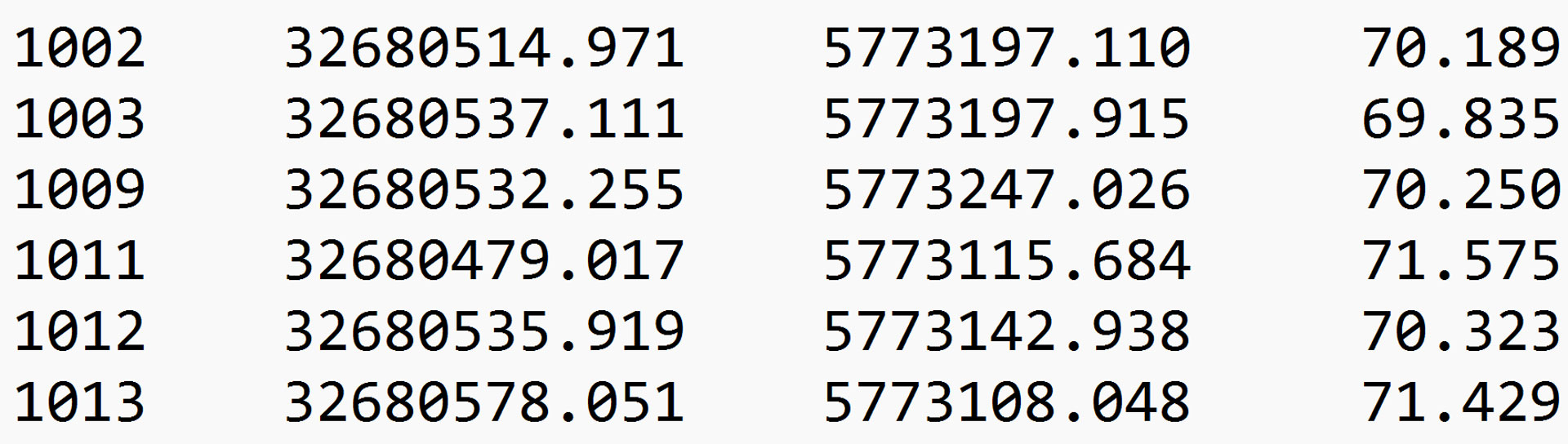
In the TXT file, the procedure is similar, but a tab character is used instead of a comma. Each point is listed on a new line in the same order Name, Easting, Northing, and Elevation without trailing spaces.
Coordinate transformation in Lixel Studio
In Lixel Studio, all data is now combined. Under Project Processing, the raw scan data and the CSV or TXT file can be transformed into a georeferenced point cloud.
First, the project folder is specified. Then, under Coordinate Transformation, the GCP option is selected and the prepared absolute point coordinates are loaded via the plus icon as a CSV or TXT file.
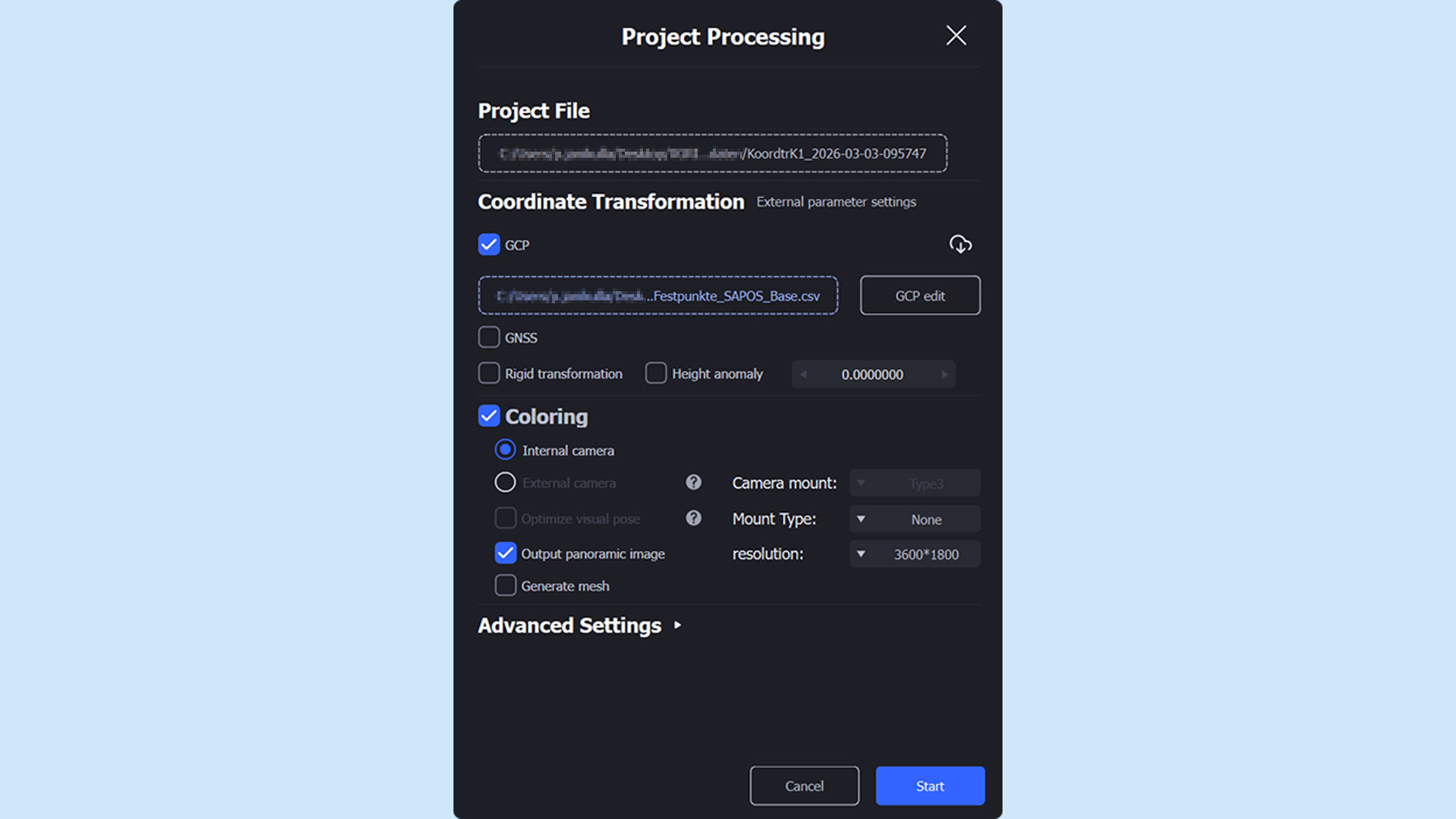
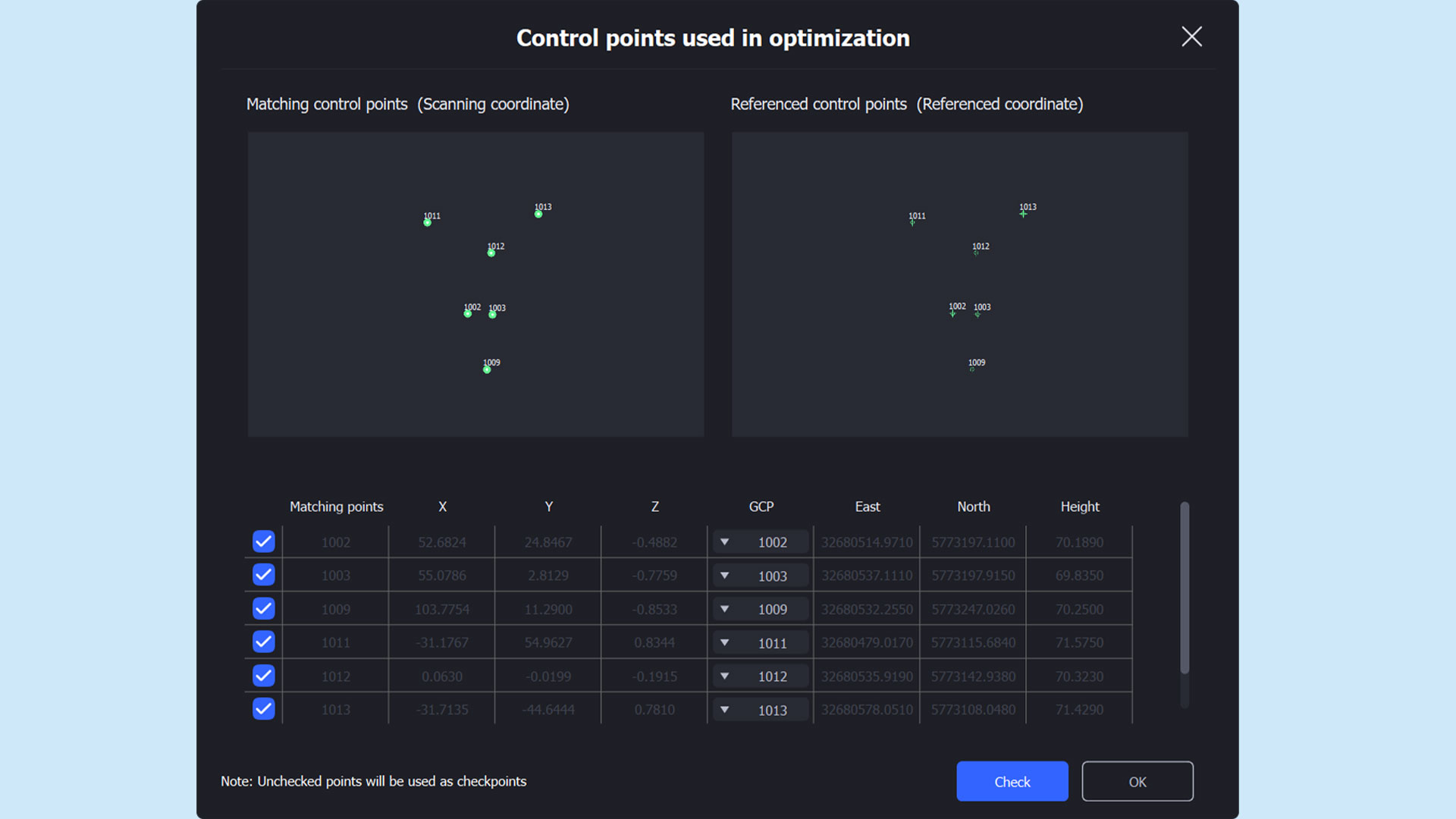
Next, under GCP Edit, the points can be reviewed and correctly assigned to one another if necessary. It is recommended to name the local points identically to the absolute point coordinates to save time during this step.
After completing the assignment, the points can be verified and the point cloud processed and transformed.
Accuracy report of the coordinate transformation
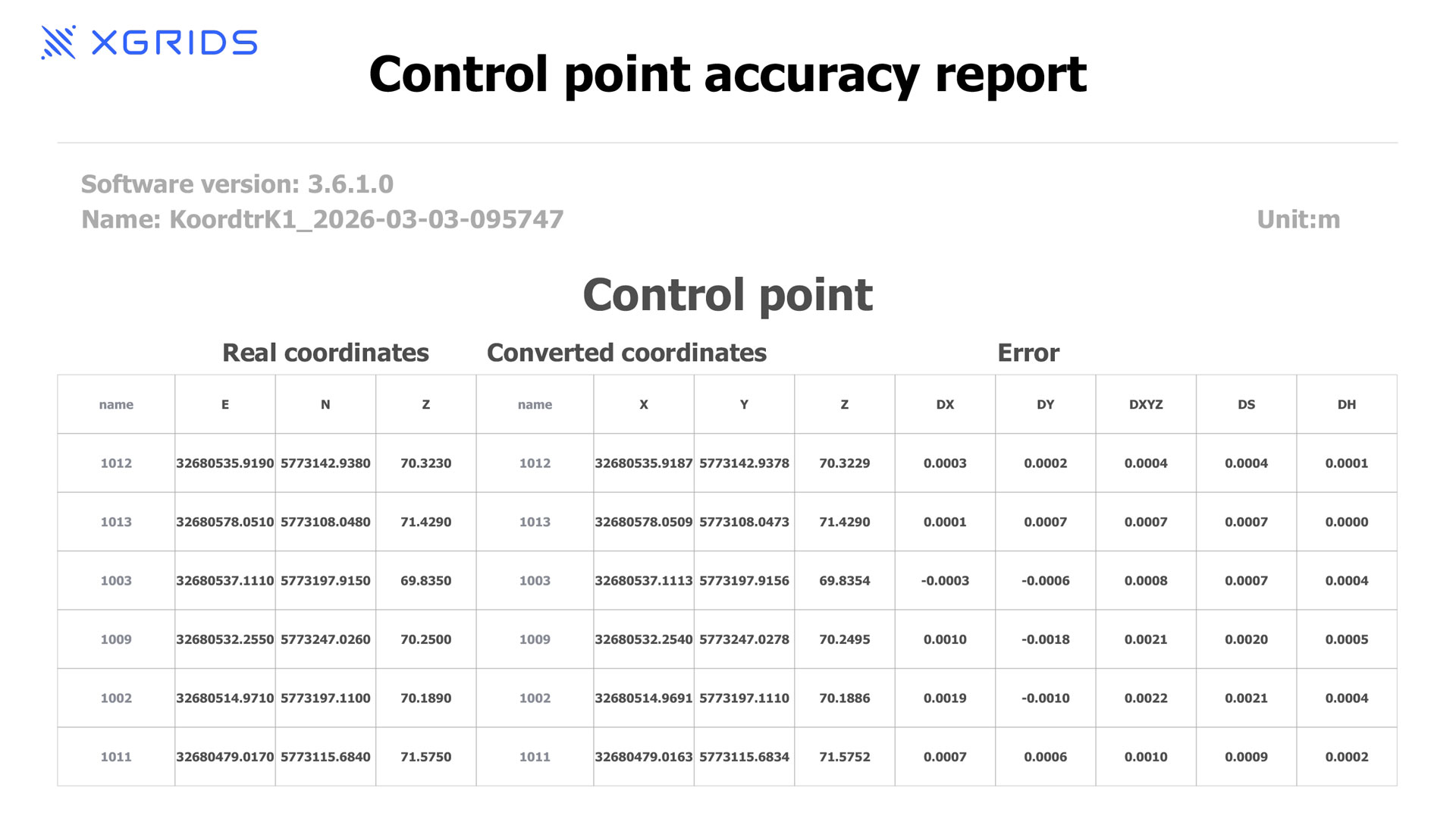
After successful processing, Lixel Studio generates a control point accuracy report.
This report displays the deviations of the individual points. In addition, an overview of the maximum and minimum deviations is provided, documenting the overall accuracy of the transformation.
TitleConclusion of the coordinate transformation with Ground Control Points
Using GCPs for coordinate transformation in Lixel Studio enables the precise transfer of locally captured point clouds into a global reference system.
Through careful collection of target and actual points, correct assignment within Lixel Studio, and subsequent processing, a highly accurate transformation can be achieved. This is essential for further processing of the point cloud in planning and analysis projects.
The method ensures that the point clouds are correctly aligned with existing georeferenced data in terms of position, scale, and orientation.