
Shining 3D EXScan

TitlePrecise 3D scanning technology for professional applications
EXScan is much more than just software – it is the key to unlimited possibilities in the field of 3D scanning and digital fabrication. Thanks to its intuitive operation, versatile scanning functions, advanced post-processing tools and precise measuring instruments, EXScan is the ideal solution for professionals and enthusiasts who strive for maximum efficiency without compromising on quality. Immerse yourself in the future of 3D scanning and experience how physical objects are transformed into digital masterpieces with EXScan.
TitleIncrease efficiency with EXScan
| Seamless scanning and detailed results | ||
|---|---|---|
Image  Step-by-step instructions | Image  Scan rewind | Image  Data quality visualisation |
Image  Support Texture Mapper add-on | Image  Streamlined workflow | Image  Variable point distance |
TitleQuickly correct incorrect alignments
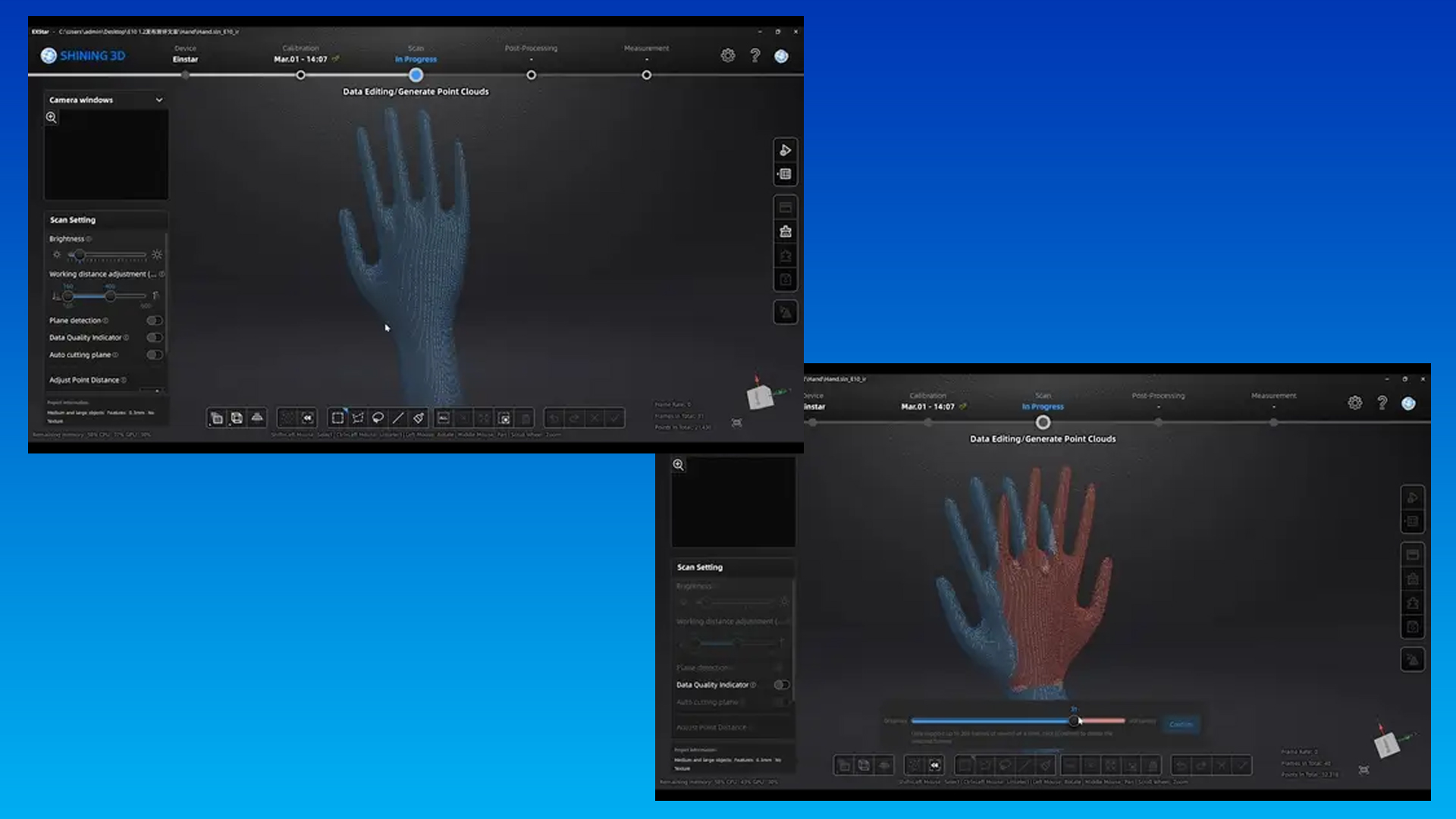
The rewind function makes it easy to correct misalignments during scanning without having to start the entire process from the beginning. As soon as a misalignment is recognised, the scanning process can be stopped and up to 200 images can be rewound by pressing the rewind button. The selected image is highlighted in red.
If an even earlier point in time is required, the process can be repeated until the desired initial image is reached.
TitleSupport for the Texture Mapper add-on
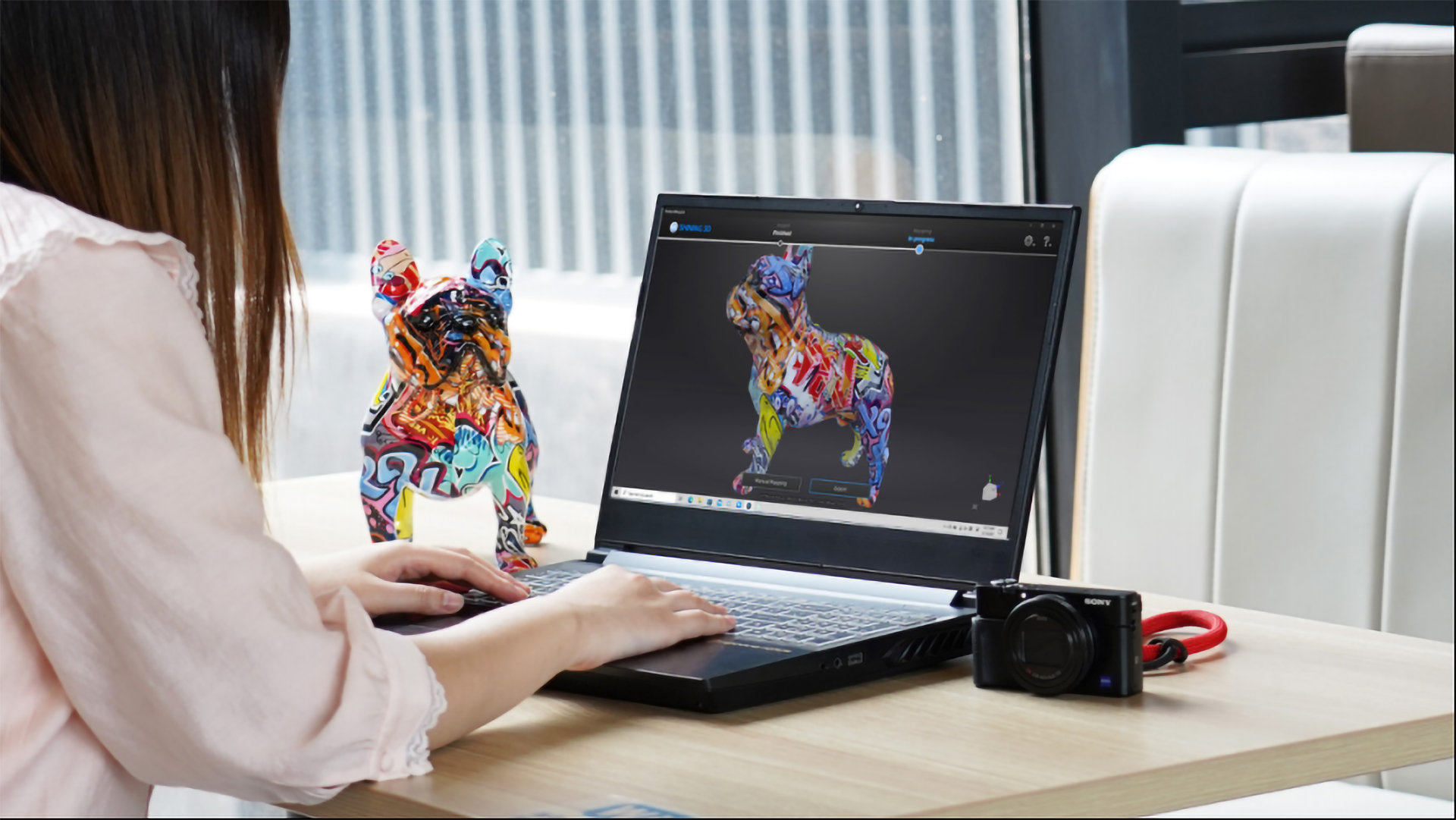
Texture Mapper Lite is a software developed by SHINING 3D that takes colour 3D scanning to a new level. This modern solution can be seamlessly combined with the EinScan 3D scanner and enables optimised processing of texture data for detailed and realistic scan results.
TitleIndicator for data quality
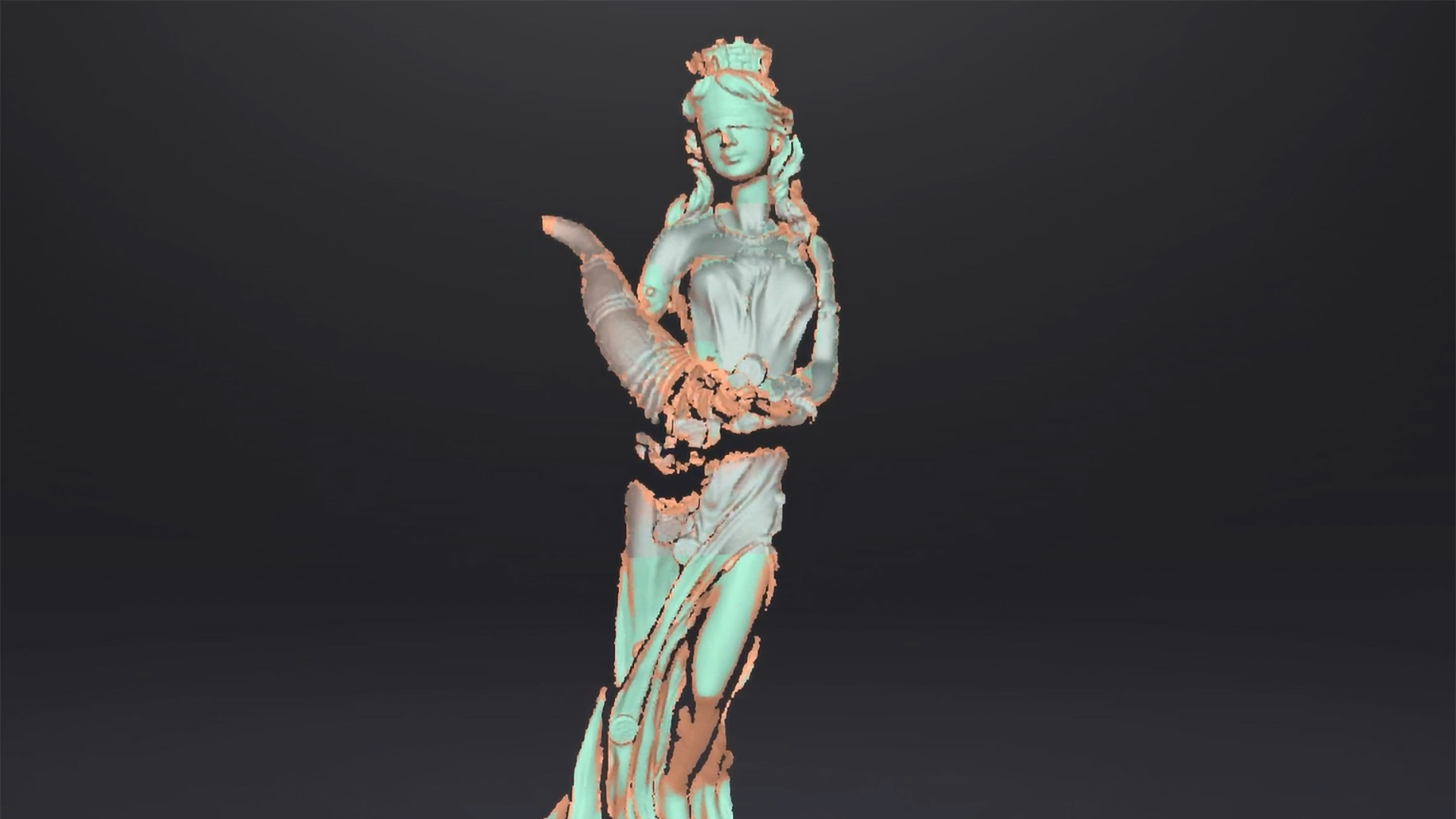
The data quality indicator provides a better visual representation of the captured scan data and helps you to achieve optimum results.
- Red area: The captured data is insufficient, a further scan is required.
- Green area: The data is complete and suitable for further processing.
TitleAutomatic cutting plane
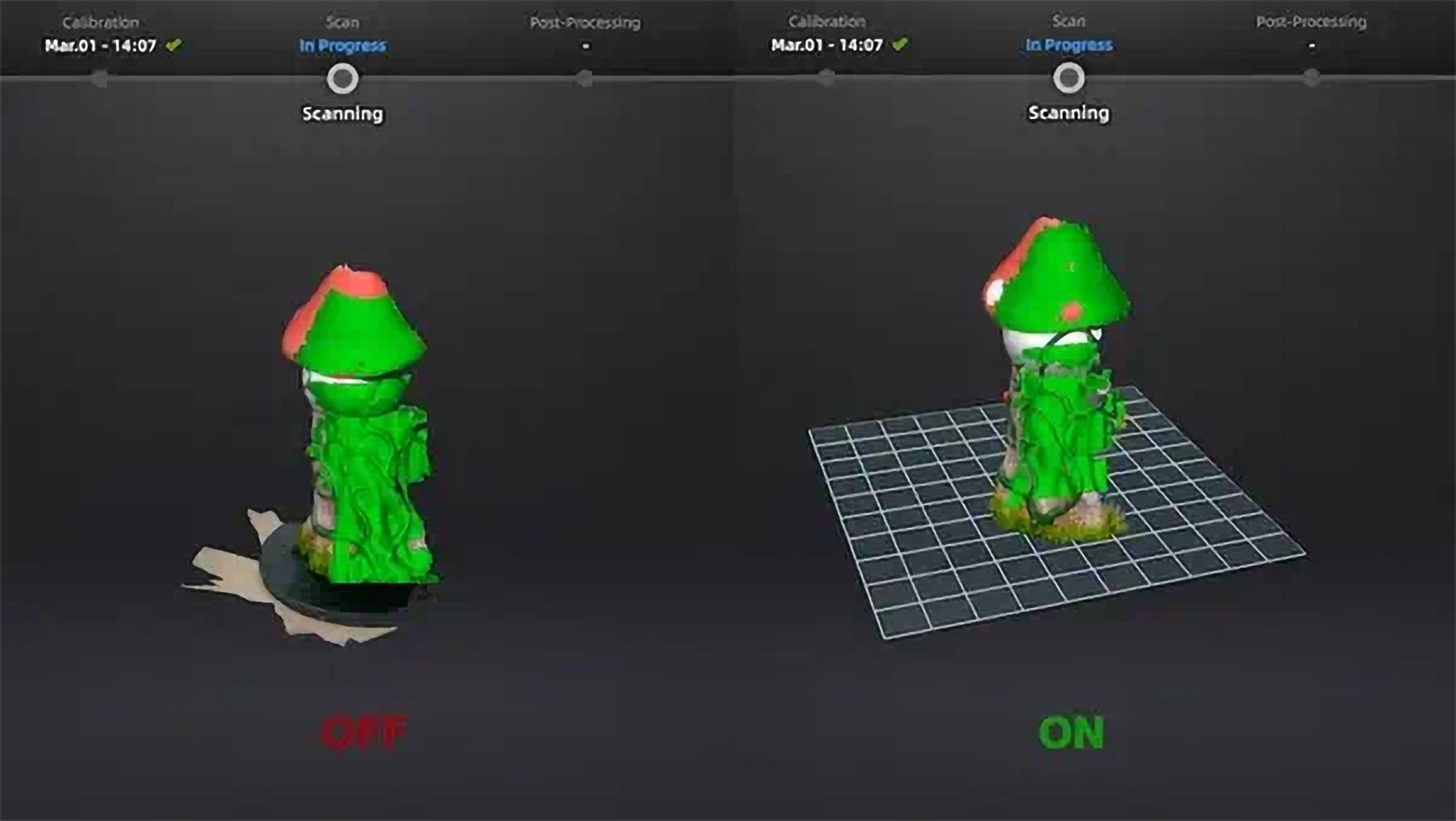
With the automatic cutting plane function, the table plane is recognised and cut out during the preview. This eliminates the need to manually remove unwanted base data, which makes the work process considerably easier.

TitlePowerful software for Shining 3D scanners
EXScan is a powerful software solution for precise 3D scanning and data processing. Developed by SHINING3D, it enables intuitive and efficient capture, processing and optimisation of 3D scans. With intelligent algorithms and a user-friendly interface, both beginners and professionals can create high-quality digital models from physical objects. With advanced features such as the automatic cutting plane, scan rewind and data quality indicator, EXScan optimises the workflow and ensures accurate scanning results.
The software is specially tailored to the requirements of modern Shining3D scanners and utilises powerful hardware resources for fast and precise processing of scan data.
TitleSystem requirements
Minimum system requirements
- Operating system: Windows 10 / 11 (64-bit)
- Processor: Intel Core i5 (4th generation or newer) or equivalent
- Memory (RAM): 8 GB
- Graphics card: NVIDIA GTX 1050 or comparable (at least 2 GB VRAM)
- Interfaces: USB 3.0 for connecting the 3D scanner
Recommended system requirements
- Operating system: Windows 10 / 11 (64-bit)
- Processor: Intel Core i7 (9th generation or newer) or AMD Ryzen 7
- Memory (RAM): 16 GB or more
- Graphics card: NVIDIA RTX 3060 or higher (at least 6 GB VRAM)
- Interfaces: USB 3.0 or higher for stable data transfer

The EXScan software from SHINING 3D has been specially developed for use with the company's own EinScan 3D scanners. It offers seamless integration with these devices and enables precise capture, processing and optimisation of 3D scans. Due to the specific hardware and software tuning, EXScan is not compatible with 3D scanners from other manufacturers.
In addition to direct support for single-scan scanners, EXScan offers a variety of import and export formats that enable flexible further processing of the scan data in other programmes. This means that the captured models can be easily transferred to CAD software, 3D printing applications or rendering programmes.
TitleSupported file formats in EXScan
Import formats
- STL - Standard format for 3D models, ideal for 3D printing and further processing
- OBJ - Contains geometry and texture data, suitable for visual representations
- PLY - Supports colour information and is often used in research
- ASC - Point cloud format for precise 3D data processing
Export formats
- STL - Widely used in 3D printing and CAD further processing
- OBJ - Enables export with texture data for visualisation software
- PLY - Contains colour and point cloud information for scientific applications
- ASC - Export of point clouds for detailed analyses and further processing in metrology software
- FBX - Common format for animations and 3D rendering programs
- 3MF - Modern 3D printing format with extended material support
This wide range of file formats ensures that EXScan is compatible with a wide variety of applications and enables smooth integration into existing workflows.

TitleEXScan - One software for many applications
EXScan offers a powerful and versatile solution for numerous industries where precise digital capture is required. Whether for industrial applications, creative projects or scientific research, the software enables simple and effective realisation of complex 3D scanning processes.
TitleRelevant areas of application for EXScan
Industrial manufacturing & quality control
- Reverse Engineering: Capturing existing components for digital reconstruction or optimization
- Dimensional accuracy testing: Comparing scan data with CAD models for quality assurance
- Prototyping: Creating and optimizing prototypes based on 3D scans
3D print & Rapid Prototyping
- Modeling for additive manufacturing: Capturing physical objects as a basis for 3D printing designs
- Customization and optimization: Processing scan data for tailor-made 3D printing solutions
Medicine & dentistry
- Orthopedics & prosthetics: Manufacture of customized prostheses, orthoses, and implants
- Dental technology: Digitalized impression taking for dentures, crowns, and bridges
- Facial scans for medical applications: 3D capture for planning plastic or reconstructive surgery
Art, cultural heritage & archaeology
- Preservation & documentation: Digital backup of artworks, sculptures, and historical artifacts
- Replication & Restoration: Creation of detailed copies of damaged objects for restoration purposes
- Virtual Museums: Creation of digital 3D models for online exhibitions
Automotive & aerospace industry
- Design optimization: Adaptation of existing vehicle or aircraft parts through digital capture
- Replacement and spare parts production: Reproduction of hard-to-find or obsolete components
- Flow analysis & aerodynamics: Digitization of components for simulation and analysis
Fashion & customised products
- Custom-made clothing & accessories: 3D scans for perfectly fitting clothes, shoes, or glasses
- Personalized jewelry: Creation of unique designs based on real shapes
Movies, gaming & Virtual Reality (VR)
- Character and object creation: Scanning real people or objects for video games, movies, and animations
- VR environments & simulations: Using scan data for immersive virtual experiences
Better advice for users
Are you interested in our offer or would you like to find out more about EXScan software? Then give us a call today and arrange a free, non-binding consultation. We will answer all your questions. As both a dealer and a user, we are ideally positioned to support you after your purchase.