
PointCab Nebula 2.1 & Nebula Creator

TitleNew version Nebula 2.1 & Nebula Creator
With the release of Nebula 2.1 and the new Nebula Creator, PointCab is opening a new chapter in digital point cloud processing. The latest version consistently builds on proven features and provides additional impetus for more efficient, intuitive workflows.
With the new Nebula Creator, everyone now has the opportunity to use Nebula free of charge – regardless of whether they are already using Origins.
TitleThe Nebula Creator
Nebula Creator offers everyone the opportunity to use Nebula free of charge – regardless of whether they already use Origins or not. With this free desktop tool, point cloud projects can be specifically prepared for online visualization in Nebula.
TitleNebula 2.1 - Key new features
Compatibility with AWS (Amazon Web Services)
With the new version, PointCab is expanding the number of clouds that can be connected to Nebula. Due to high demand, PointCab has connected AWS (Amazon Web Services) with this update. The following video shows how AWS is connected to Nebula.
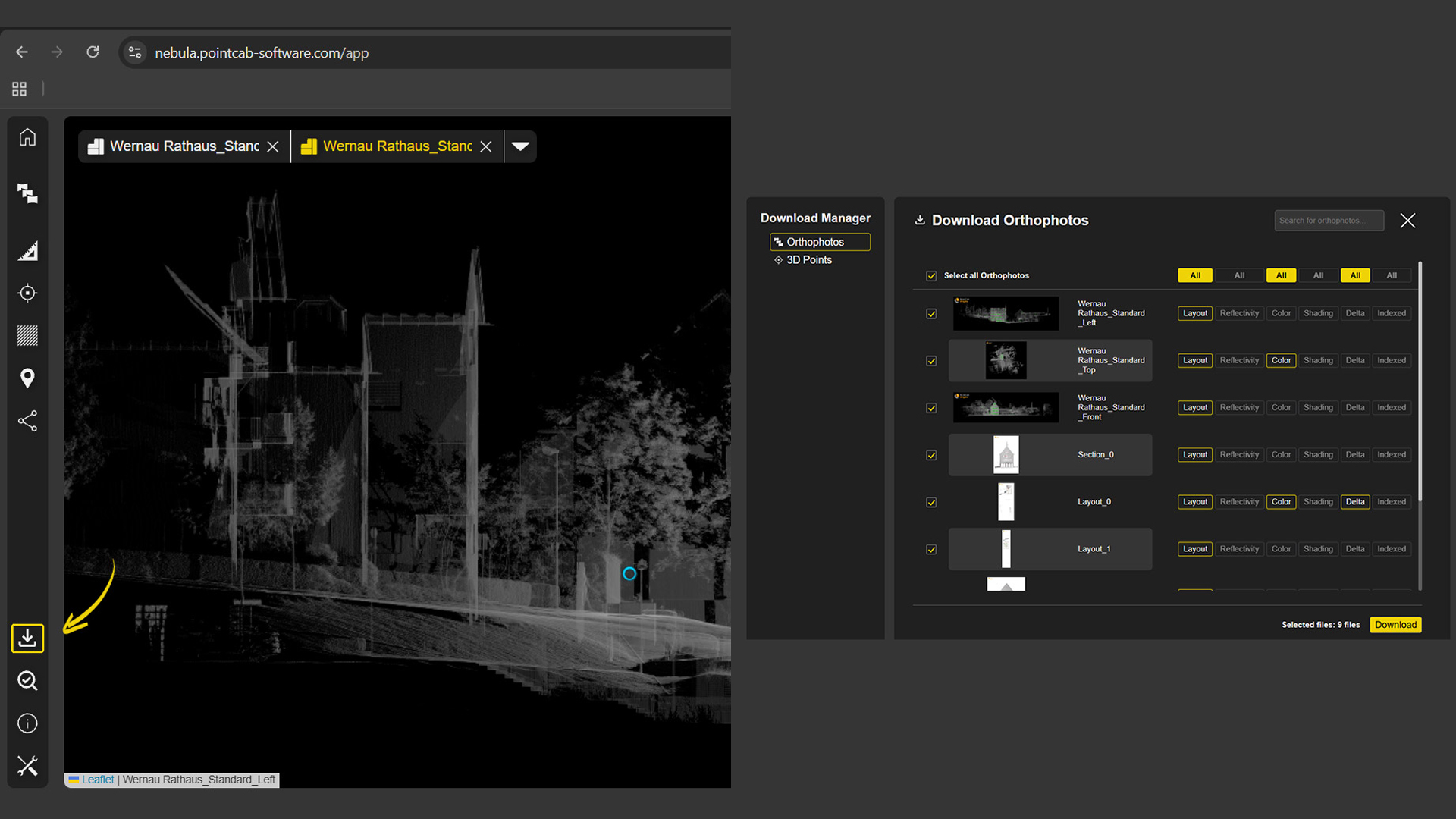
New Download Manager
A long-awaited feature is finally here! The new download manager now allows orthophotos and 3D points to be downloaded directly in the browser. This means that results can not only be visualized, but also shared directly.
Height and Cluster Navigation
With the new version, scan positions can now be filtered and displayed by height or cluster. This makes navigation in Nebula even more intuitive.
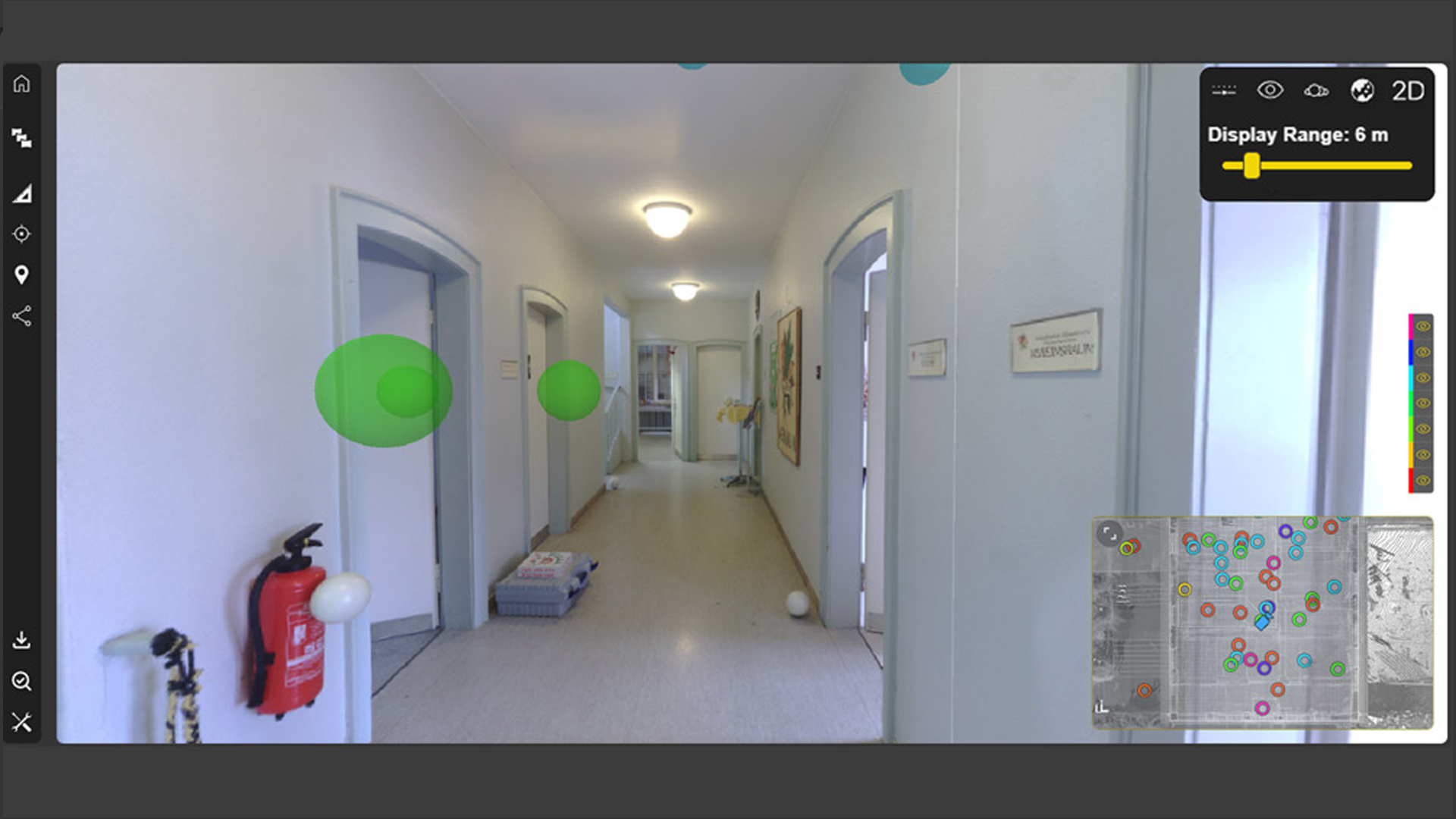
"Display Range" Option in Bubble Views
The “Display Range” function now offers the option of showing or hiding scan positions in relation to the distance from your own position in Bubble View. This perfectly complements the new elevation and cluster navigation.
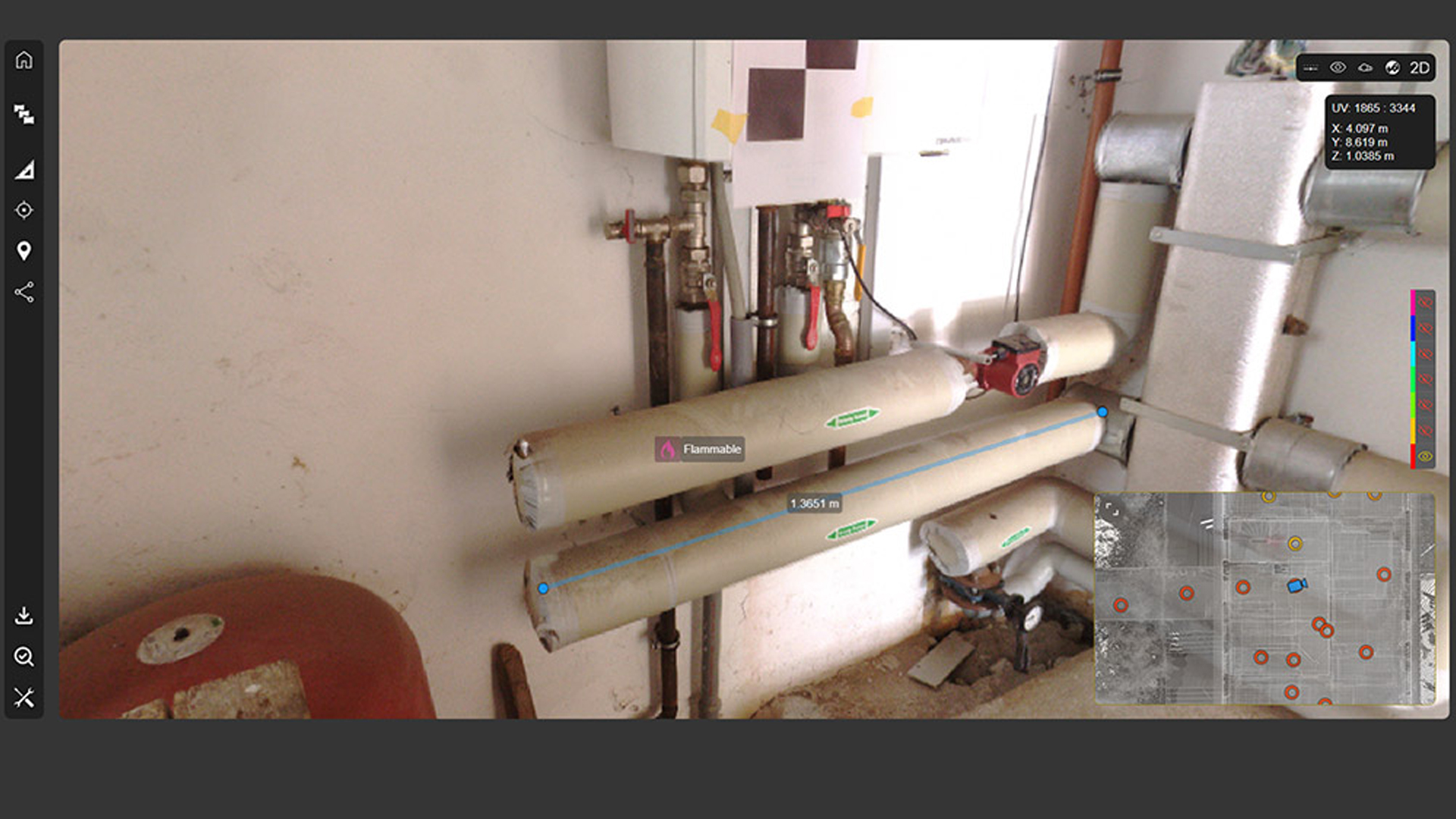
Measurements & POIs in Bubble Views
Another very useful feature is that measurements can now also be created and POIs added in Bubble View. It's very simple: just download the coordinates and you can measure distances and 3D points using CTRL + mouse click. POIs can also be stored with additional links and documentation, for example.
Additional new features for Nebula 2.1
- Cube navigation in the 3D viewer
- New arrangement function for slots
- New setting for scans – bubble or planar
Nebula 2.1 – Improvements and fixes
- Improved clipping box handling
- Improved settings behavior and appearance
- Improved workflow for purchasing additional slots
- Improved 3D visualization
- Improved mini-map for easier navigation
- Expanded measurement units (feet)
- Dynamic adjustment of point display for improved performance
- Optimized point cloud loading for faster performance
- Fix: Changes are synchronized in real time
- Fix: Uniform share links for all users
- Fix: Automatic updating of public links
- Fix: Public links in Microsoft SharePoint
- Fix: Issues with the sidebar in Firefox
Better advice as a user
If you are interested in our offer or would like to learn more about PointCab Software, then call us today and arrange a free and non-binding consultation appointment for you. We will answer all your questions. As a dealer and at the same time a user, we are well positioned to assist you even after the purchase.