
XGRIDS Lixel Studio

TitlePost-processing of Lixel scan data
With XGRIDS' Lixel Studio software, you can process and edit your raw data from the Lixel K1 and Lixel L2 Pro scanners and then export it in the format you want. Powerful tools such as data processing, multiple scan registration, filter functions, and 2D drawing mode help you get the most out of your point clouds.
TitleRaw data processing
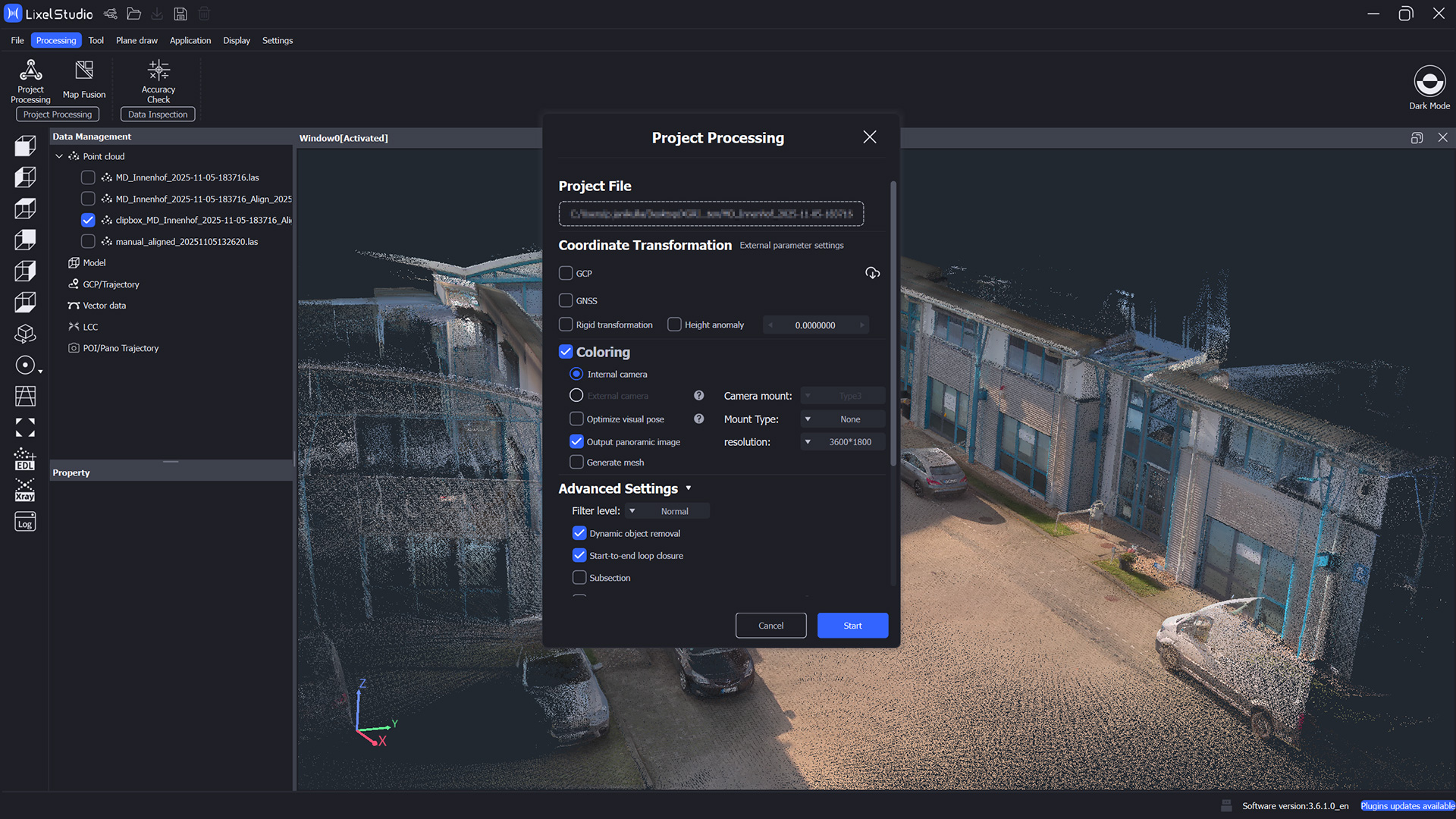
Data processing is the first step. Here, raw data from scanner systems such as IMU or laser sensors is calculated into high-precision point clouds and colored if required. In addition, you can perform coordinate transformations via control points or GNSS.
Simple processing enables a single scan to be processed into a precise point cloud. With Map Fusion, up to ten scans can be merged into a single point cloud, either via added control points or the RTK module during scanning.
Coordinate transformation converts local point clouds into georeferenced point clouds. This is done either by matching the control points recorded in the scan with absolute coordinates or by the RTK module with correction data and FIX positioning.
Additional settings
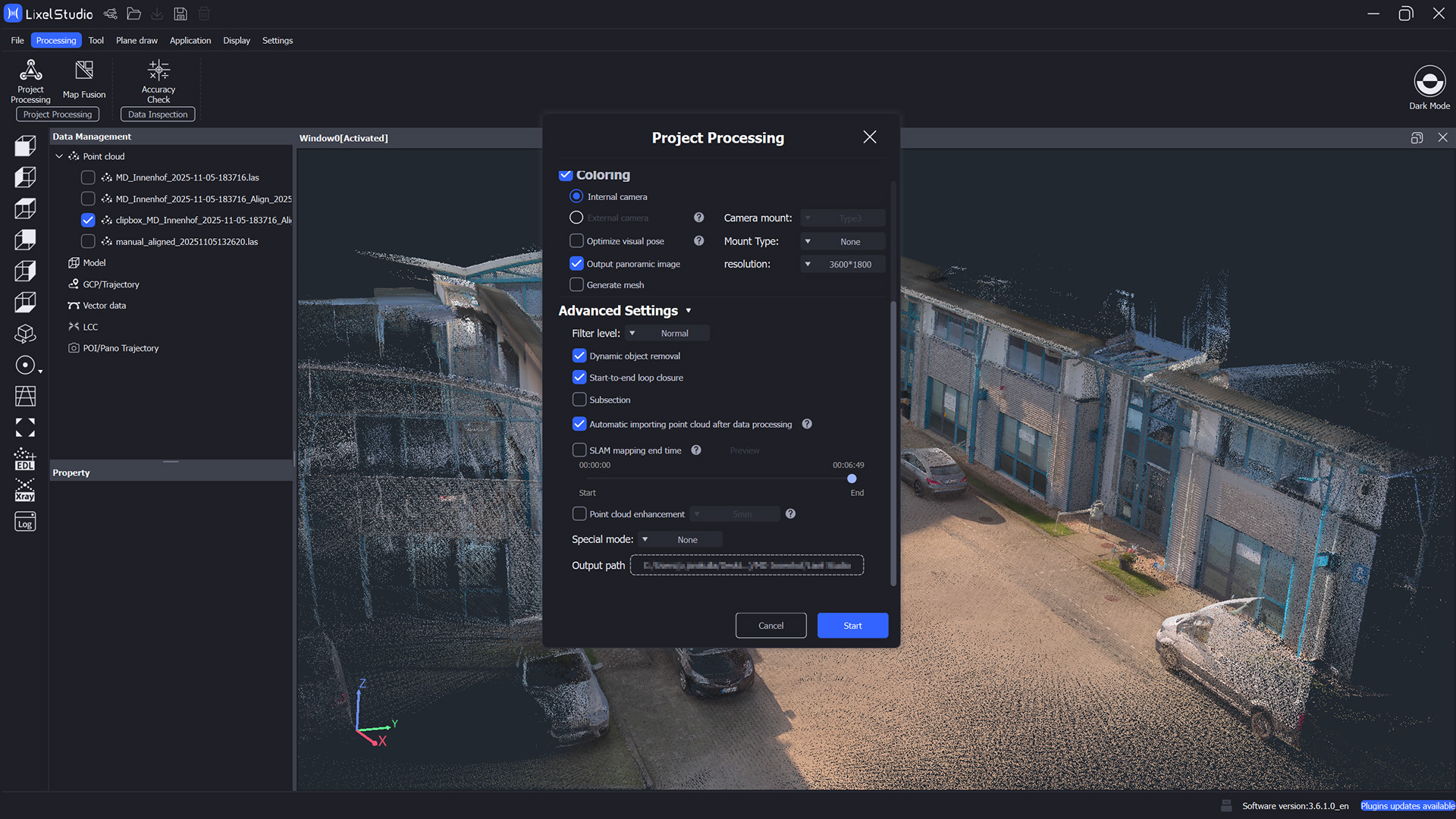
Coloring matches panoramic images to the point cloud so that each point is assigned a color value. Point clouds and panoramic images can also be used to generate a textured 3D mesh. Advanced settings allow you to filter dynamic objects and divide point clouds into segments to reduce file size.
Point Cloud Enhancement creates denser and more uniform point clouds, improves detail accuracy and modeling quality, but reduces processing speed. This feature is available for the XGRIDS Lixel L2 Pro with 5mm and 1mm point spacing and for the XGRIDS Lixel K1 with 5mm point spacing.
TitlePost-processing tools
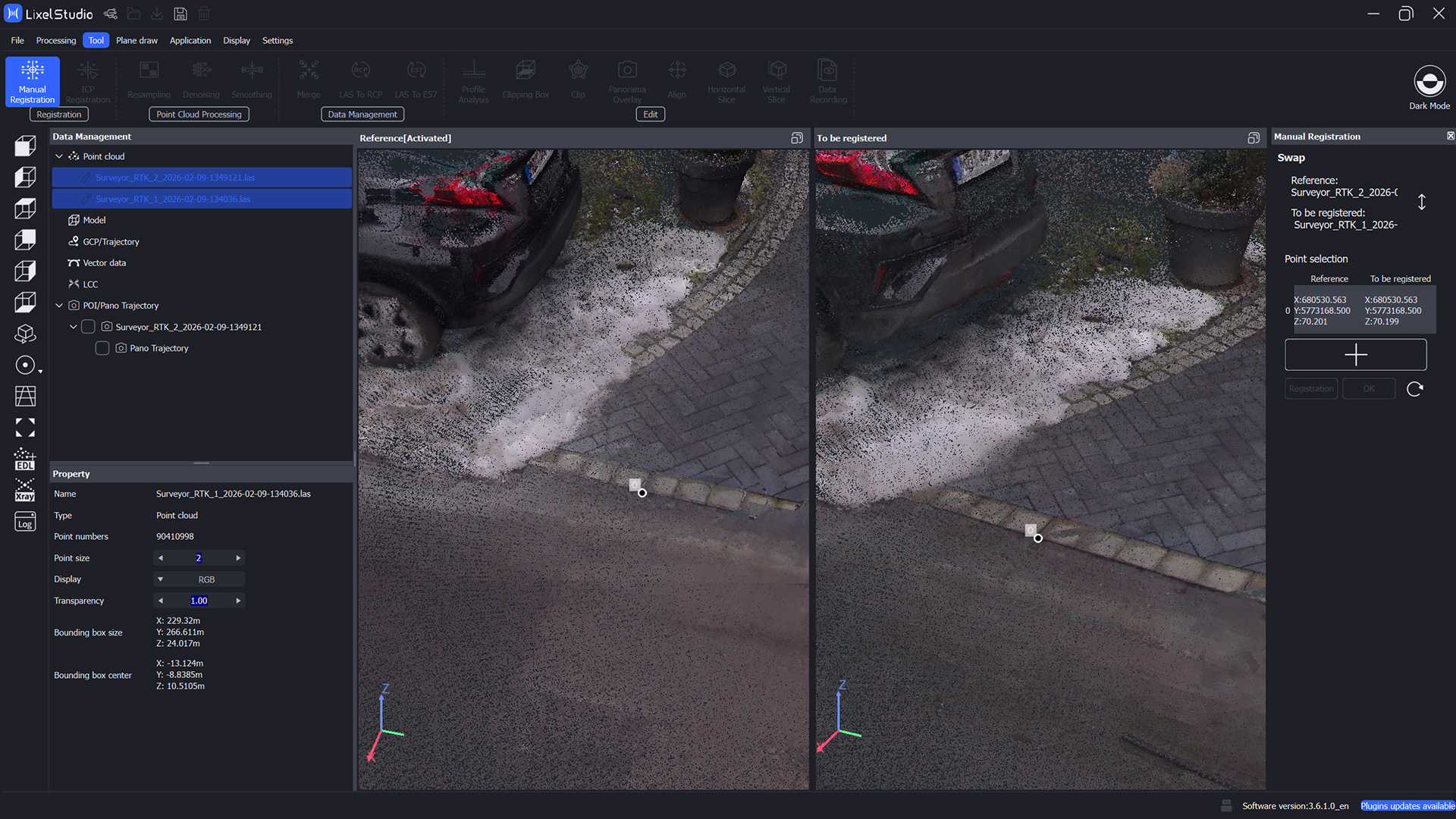
Manual registration aligns point clouds using three common points. ICP registration first performs a rough alignment. The algorithm then automatically adjusts the point clouds based on geometric matches.
Resampling reduces the number of points and speeds up processing, denoising removes noise points using neighborhood analysis, and smoothing flattens surface points over a neighborhood radius.
Merge combines multiple point clouds into one file, LAS to RCP converts LAS files to RCP format, and LAS to E57 converts colored LAS point clouds to structured E57 format, including panoramic photos and pose data. Additional tools enable profile analysis, clipping, point cloud selection, panorama overlays, horizontal and vertical sections, and data capture.
Title2D drawing tools
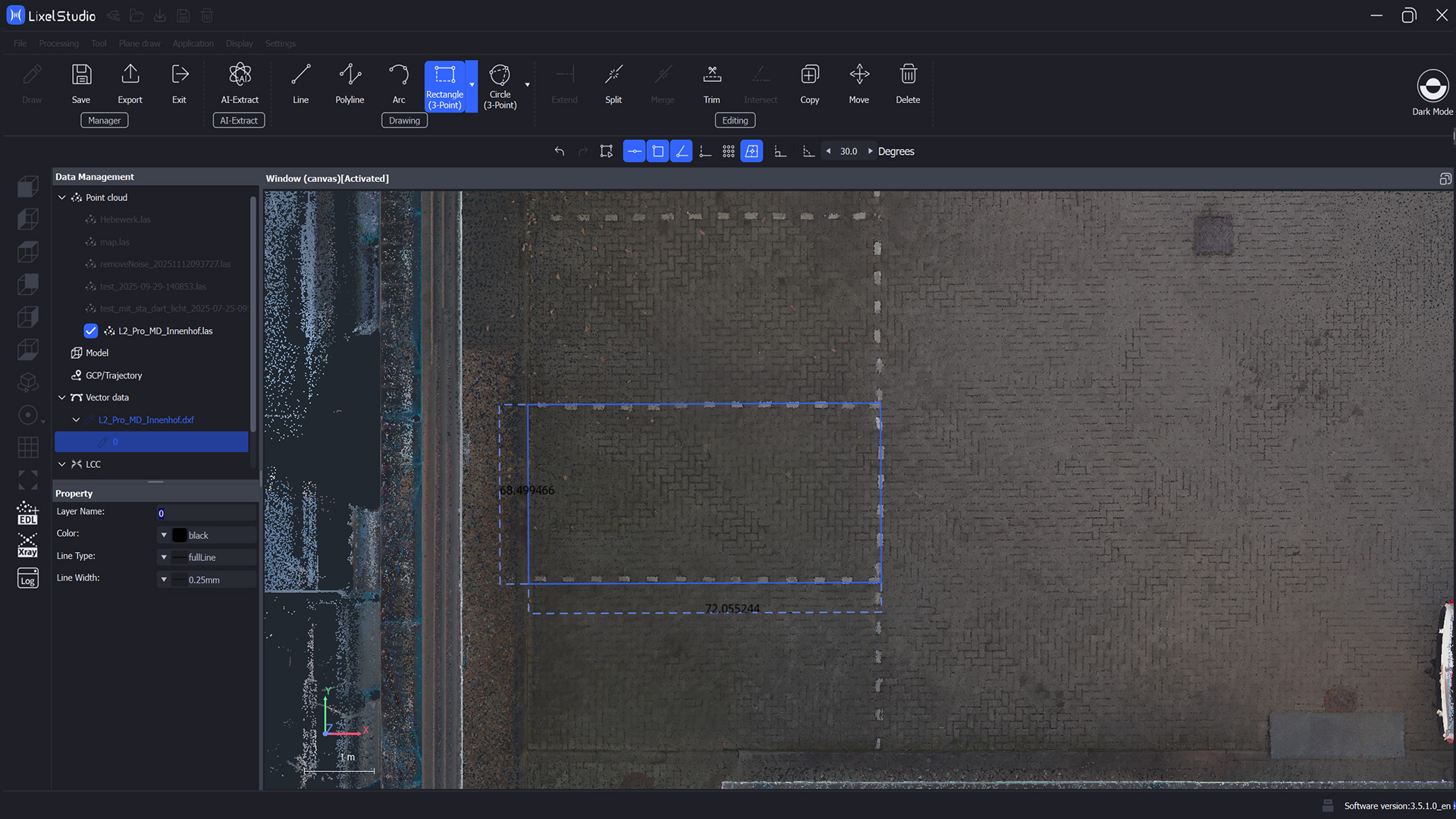
In 2D drawing mode, lines, polylines, arcs, rectangles, and circles can be created directly from point clouds. Snap functions such as endpoint, center point, orthogonality, and polar tracking support precise work. With the AI Extract tool, vectors can be automatically extracted from point clouds. Functions such as Extend, Break, Merge, Trim, Intersect, Move, Clone, and Delete enable flexible editing and positioning of objects, while different methods for rectangles and circles combine manual precision and automated processes.
TitleApplications
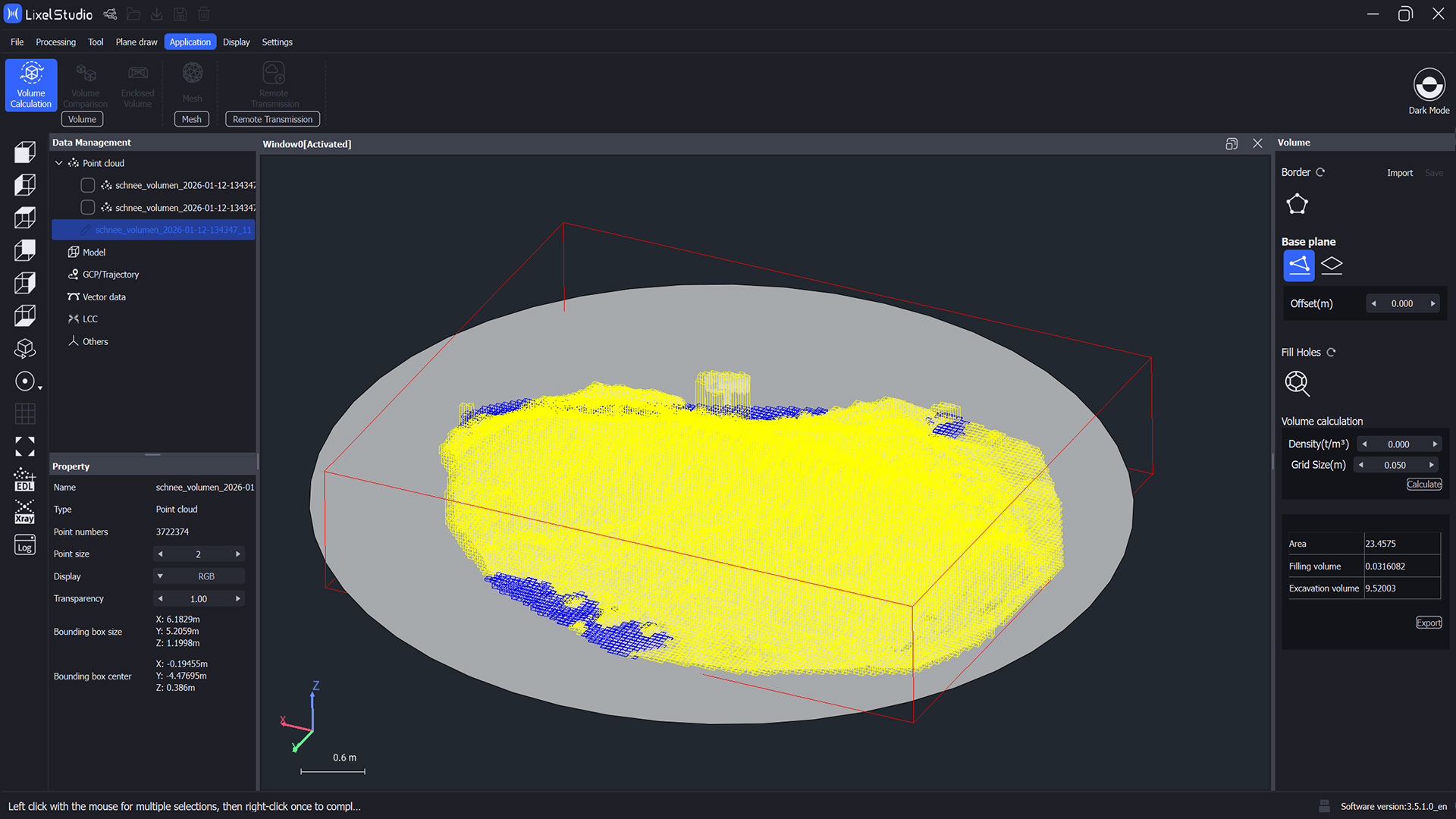
Volume Calculation allows you to measure stock levels using boundary lines, base area, mesh creation, and volume calculation. The results can be exported.
Volume Comparison compares point clouds from two time periods and shows changes between the base and comparison data sets.
Enclosed Volume Calculation calculates the volume of enclosed areas such as tunnels or cabins, creates TIN meshes, fills holes, and displays volume and area.
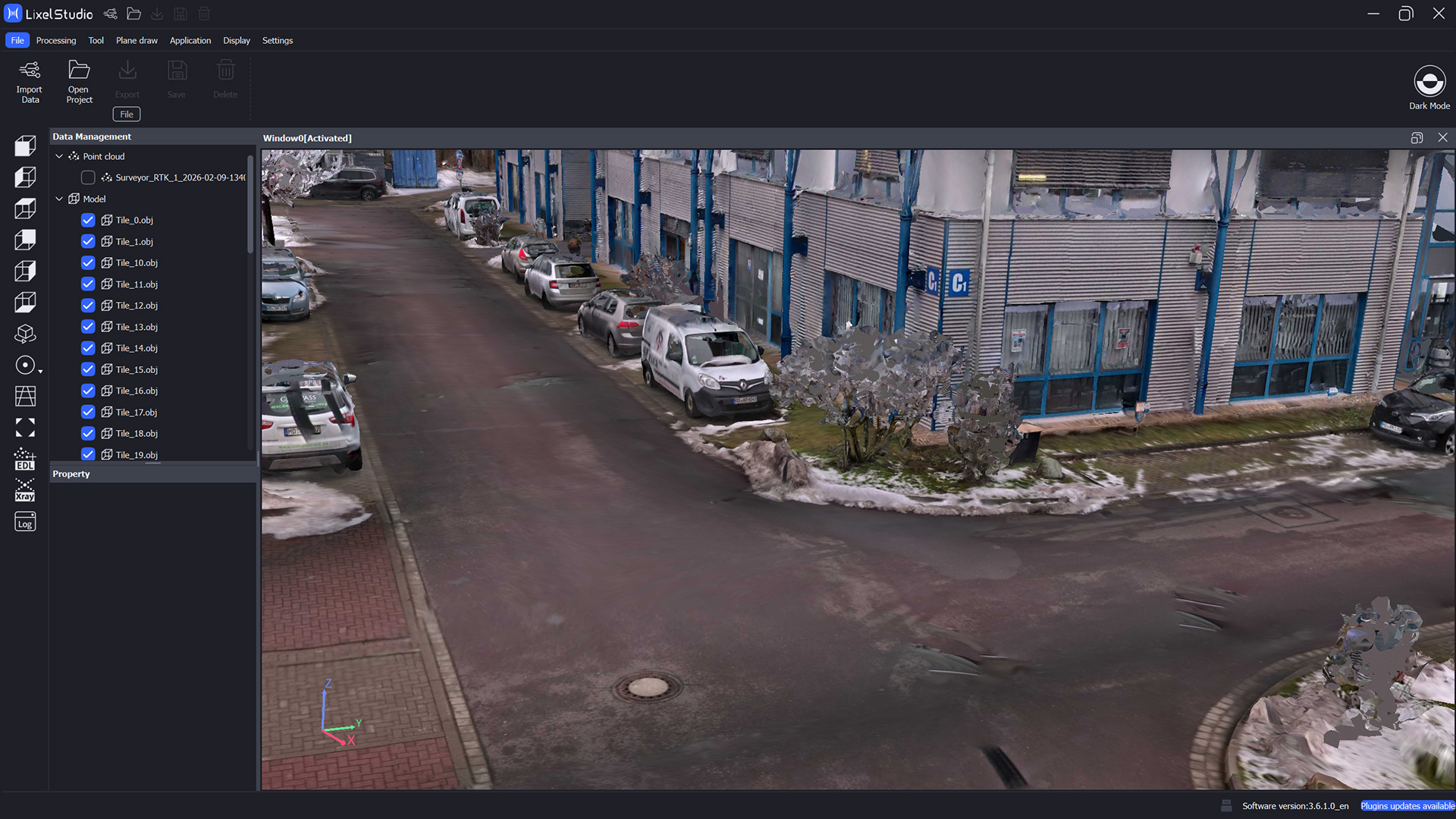
The Mesh function generates textured 3D models from point clouds and panoramic photos with internal or external coloring.
Remote Transmission transfers real-time data from handheld devices, enables monitoring, control, visualization, and structuring, and establishes the connection via the cloud, private server, or direct device.

TitleHardware compatibility of Lixel Studio software
To get the most out of the XGRIDS software, your computer must meet the necessary system requirements. Please check the hardware components listed below to ensure trouble-free operation.
TitleSystem requirements for Lixel Studio
Minimum requirements
- Operating system: Windows 10/11 Professional or Home
- CPU: i7, 11th generation
- GPU: Graphics card 3060 or better
- RAM: 64GB
- Hard drive: 1TB
Recommended configuration
- Operating system: Windows 10/11 Professional or Home
- CPU: i9, 12th generation
- GPU: Graphics card 3070 or better
- RAM: 64GB
- Hard drive: 1TB (SSD)
TitleCompatible formats in Lixel Studio software
In Lixel Studio, you can import and process numerous other data formats in addition to the raw data from the Lixel scanner. These include common point cloud formats, trajectories, and meshes, which can be seamlessly integrated into existing projects. The software also supports the integration of LixelCyberColor data for advanced visualization and the import of CAD data. This enables the holistic display, analysis, and further processing of various 3D and planning data within a uniform working environment.
TitleData frmats
Import
Point clouds
- las (v1.1 - 1.4)
- laz
- ply
- e57
Control points / trajectories
- csv
- txt
Models
- ply
- obj
- osgb
CAD
- dxf
Gaussian Splat
- lcc
Export
Point clouds
- las
- laz
- ply
- e57
- rcp
Selected points
- txt
- csv
Profile analyses
- las
- ply
- tiff
- png
Sections
- las
- rcp
CAD
- dxf
Models
- obj
- osgb
Better advice for users
Are you interested in our offer or would you like to find out more about Lixel Studio software? Then give us a call today and arrange a free, non-binding consultation. We will answer all your questions. As both a XGRIDS Gold reseller and a user, we are ideally positioned to support you after your purchase.