
New update for the Xgrids Lixel CyberColor Studio software V1.12.0 and the LCC Cloud

Das aThe latest update brings numerous improvements to the Lixel CyberColor Studio software and the LCC Cloud. The biggest new feature is the revamped LCC2 format, which significantly reduces the file size of LCC scenes. This results in smaller files without compromising quality. The data can also be processed and displayed more quickly in the cloud. In addition, new features such as a snapshot tool and a height filter, as well as further optimizations and bug fixes, have been integrated.
TitleNew Features in Lixel CyberColor Studio
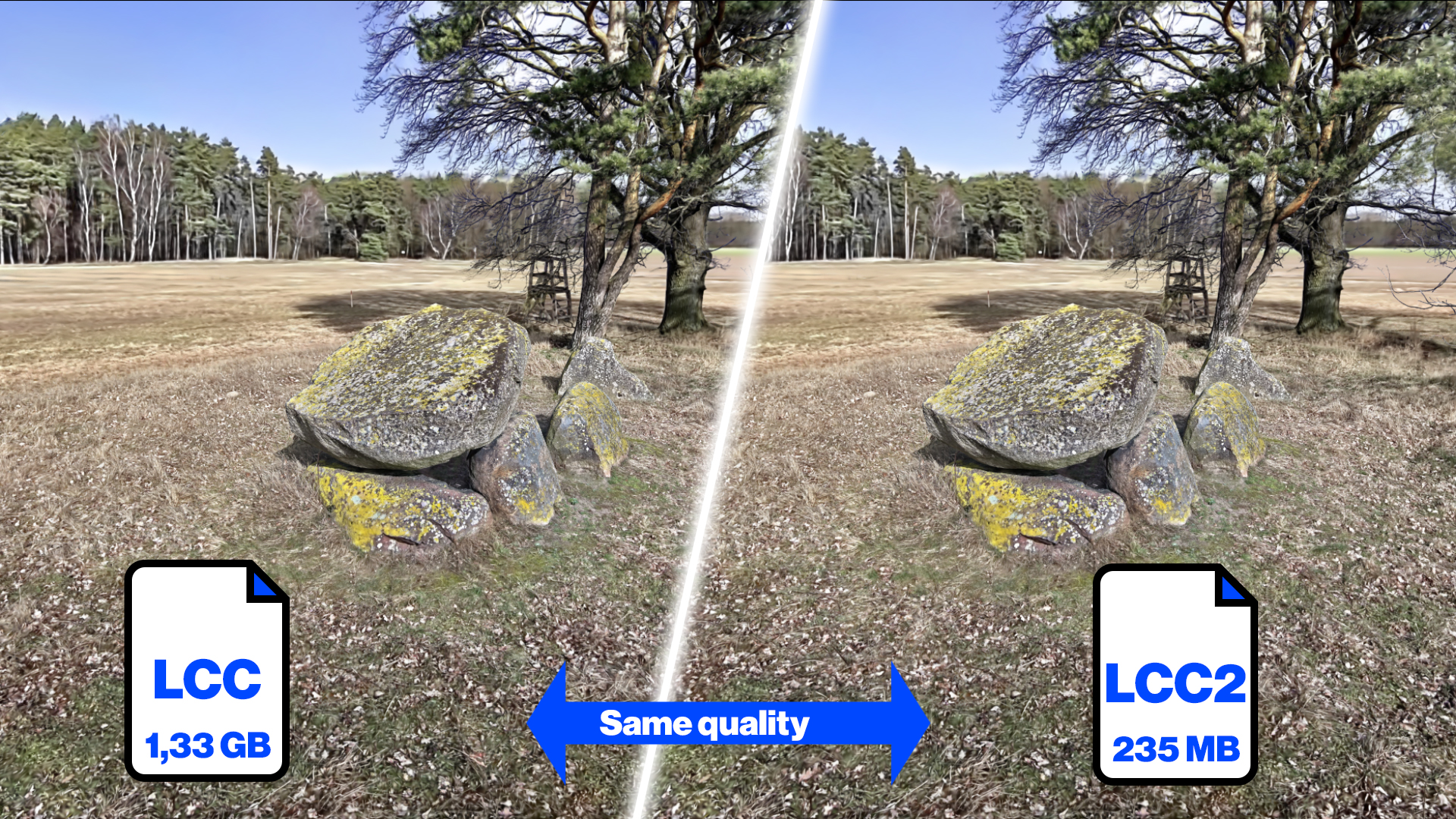
LCC2 – Faster and Smaller Data
The new .lcc2 format offers significant advantages in terms of loading and rendering speed, particularly for large datasets with over 160 million splats, while there is hardly any noticeable difference for smaller projects. Overall, large scenes are rendered more efficiently and quickly than in the previous .lcc format. At the same time, .lcc2 delivers sharp results even at medium quality settings such as “Balance” and requires significantly less processing power than .lcc at maximum quality. Additionally, the format improves visual stability, reduces rendering errors such as cracks or artifacts on tall buildings, and ensures a more robust rendering performance overall.
More new features
- Direct upload of data from LCC Studio to the LCC Cloud for processing
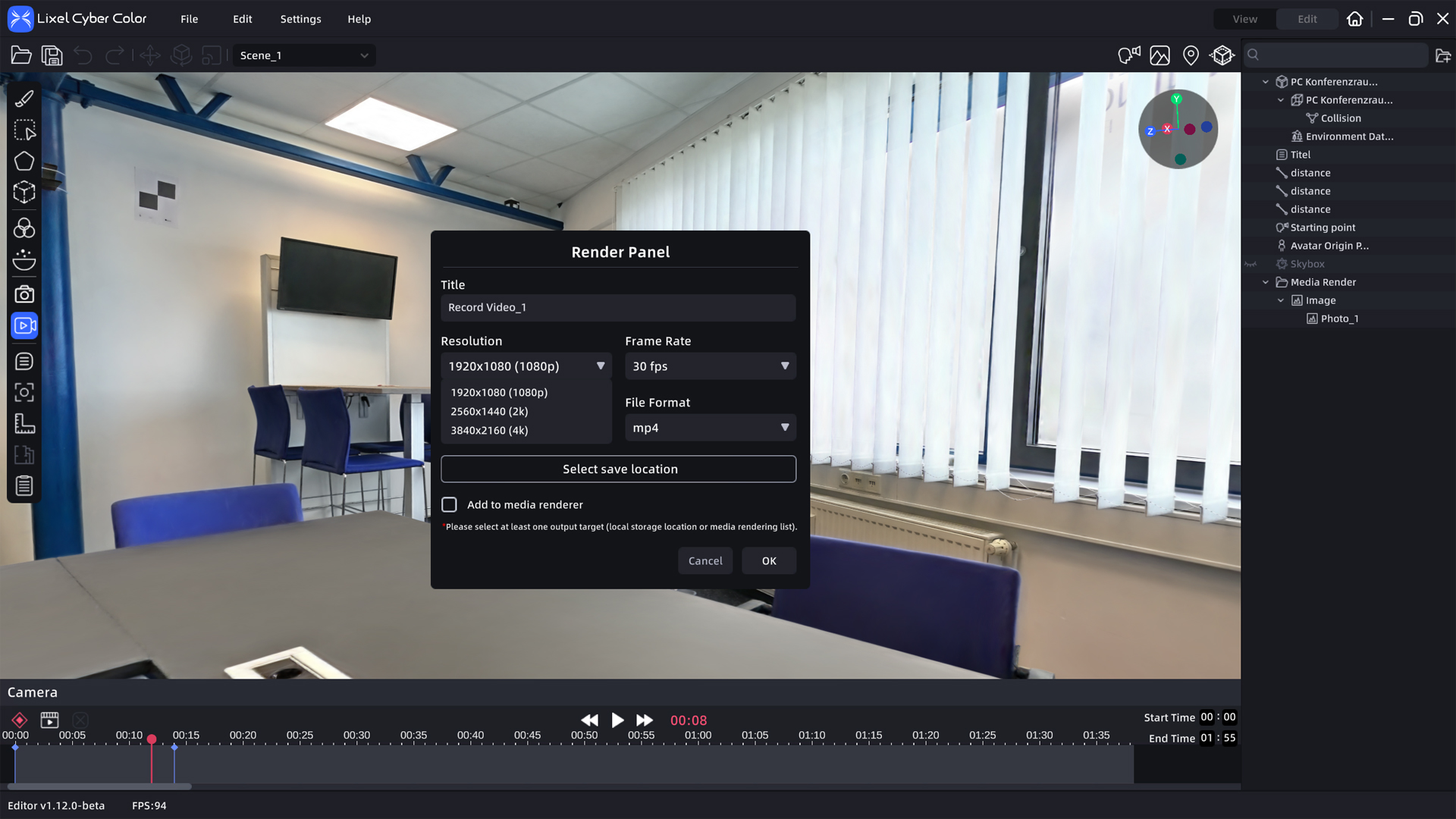
- Adjustment of resolution and frame rate for video animations during export
- Point clouds and scan quality preview for Lixel K1, Lixel L2 Pro, and PortalCam
- Snapshot tool for fast, high-quality image capture
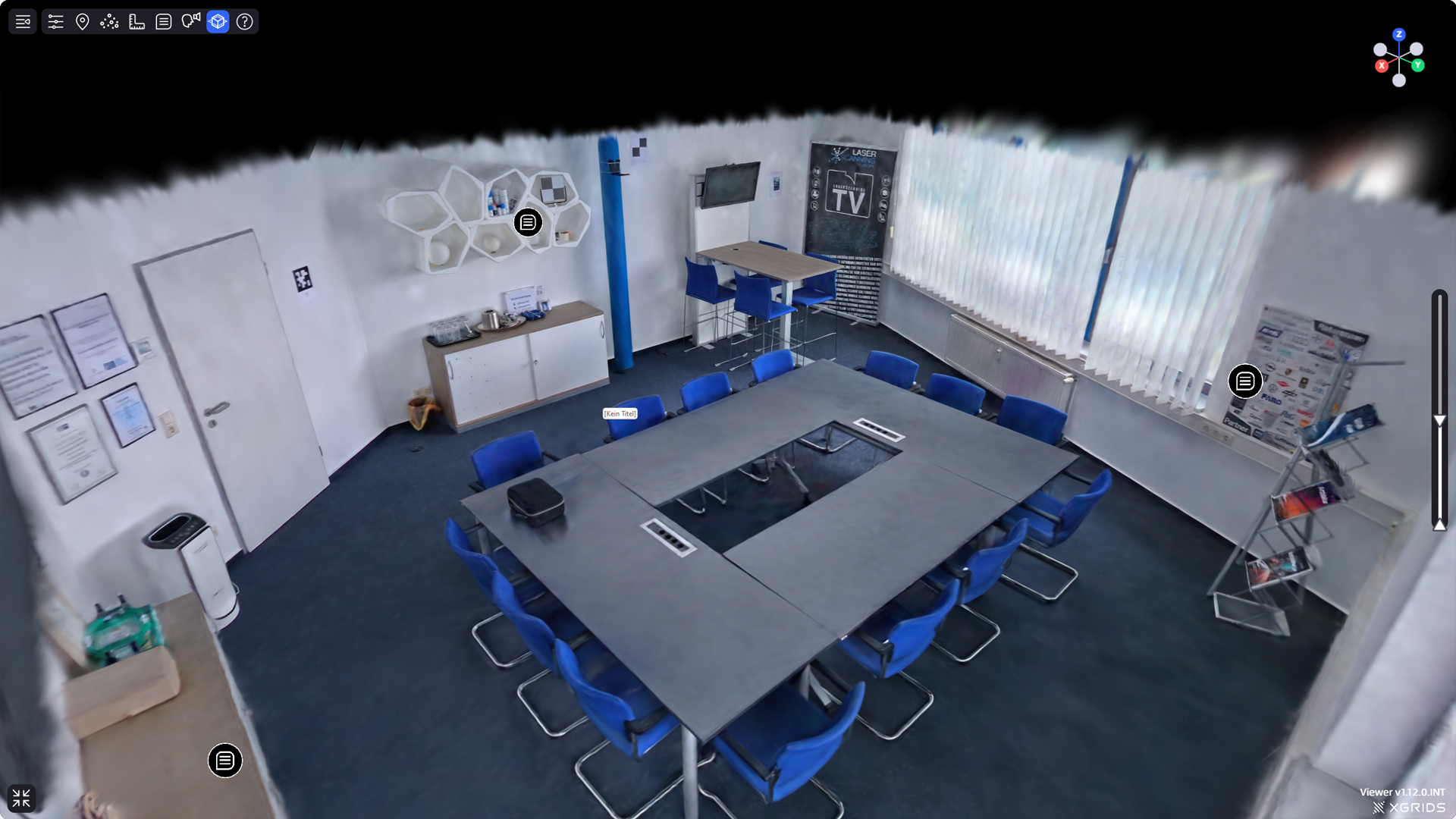
- Height filter for a more flexible model view
- Plan view with “One Click Reset” for easier operation
- Quickly find assets
- Measurement tool with axis snapping for maximum accuracy
TitleNew Features in the LCC Cloud
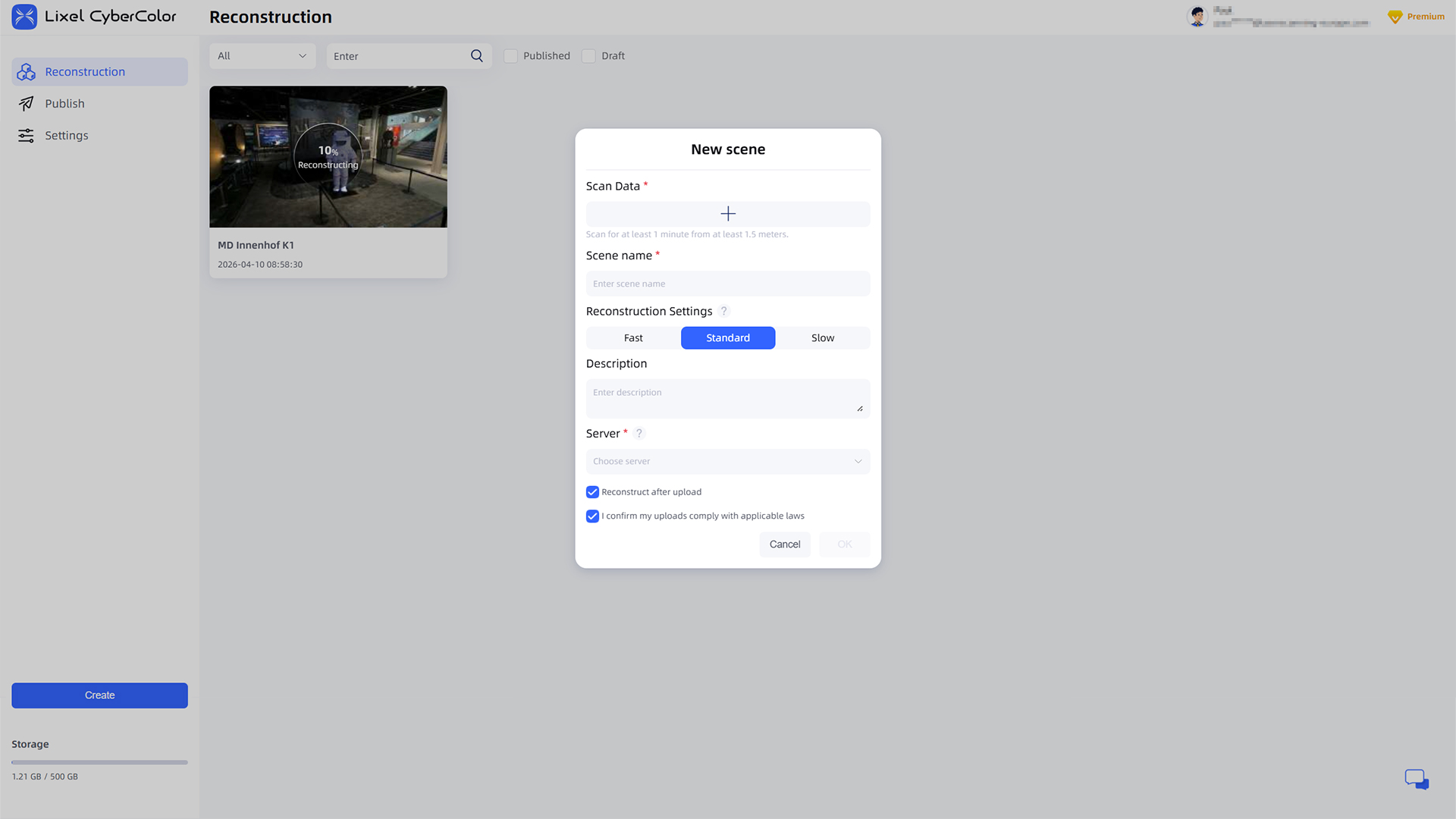
The LCC Cloud has been enhanced with an OpenAPI, enabling enterprise customers to easily integrate 3D reconstruction into their own systems. It supports the upload, management, and status tracking of scans, images, and point clouds, as well as the initiation and monitoring of reconstructions in the cloud.
Results can be downloaded in .lcc or .ply formats and previewed directly via a web viewer. Additionally, the new Publish module enables the publication and centralized management of all models with just one click.
TitleNew Features in the Web Viewer
The Height Filter allows for a more flexible model view by enabling precise control over which areas along the Z-axis are visible. Especially in orthographic view, it helps hide distracting elements such as ceilings, thereby improving the view of relevant areas. This makes it much easier to isolate and analyze individual floors or levels.
Better advice as a user
If you are interested in our offer or would like to learn more about the LCC Software, then call us today and arrange a free and non-binding consultation appointment for you. We will answer all your questions. As a dealer and at the same time a user, we are well positioned to assist you even after the purchase.