
Shining 3D EinScan Trak

TitleWireless 3D Scanner Without Markers
The EinScan Trak from SHINING 3D is a professional, wireless 3D scanning system that combines optical tracking with a detachable handheld scanner. This allows for the flexible and precise digitization of both large components and smaller objects.
In tracking mode, the optical tracker continuously tracks the scanner's position, enabling markerless 3D scanning. This significantly reduces preparation time and is particularly well-suited for reverse engineering, the automotive industry, product development, cultural heritage, and large objects.
Title3D scanner with tracking & handheld scanner modes
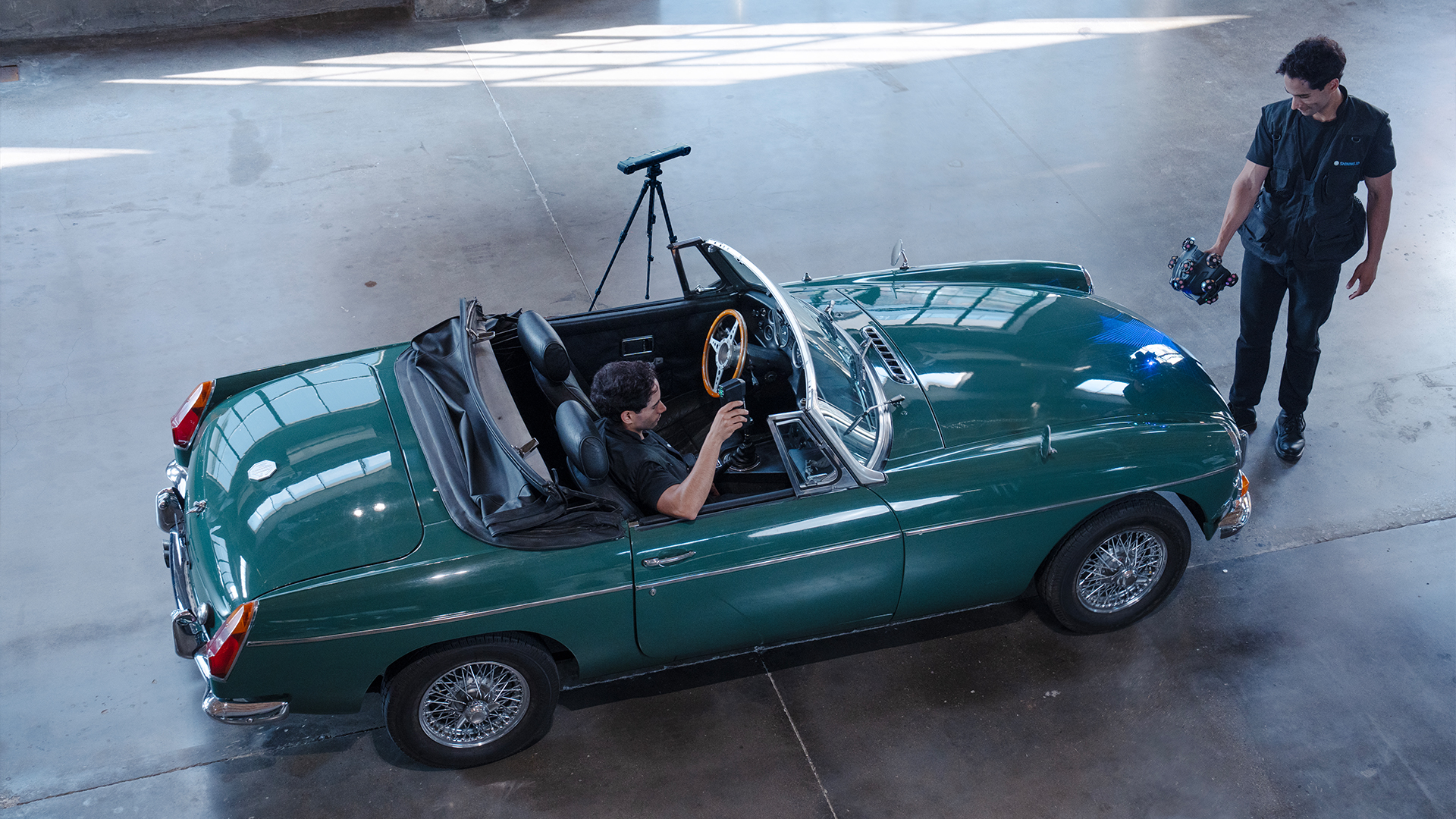
The EinScan Trak combines two different operating modes in a single system.
In tracking mode, the 3D scanner works in conjunction with the optical tracker. The tracker monitors the scanner’s position in real time, enabling markerless scanning of medium-sized to large objects.
For smaller components and hard-to-reach areas, the scanner can be removed from its spherical frame and used as a compact handheld 3D scanner.
Recalibration is not required when switching to handheld scanner mode.
Data from different scan modes and resolutions can be combined within a single project.
TitleFaster prep time thanks to markerless 3D scanning
Attaching numerous reference markers can be very time-consuming, especially for vehicles, machines, and other large objects.
The EinScan Trak therefore takes a different approach.
In tracking mode, the required retroreflective markers are already attached to the spherical scanner module. The tracker detects these markers and uses them to continuously determine the scanner’s position and orientation.
The standalone handheld scanner mode also enables markerless laser scanning on surfaces with sufficient geometric features.
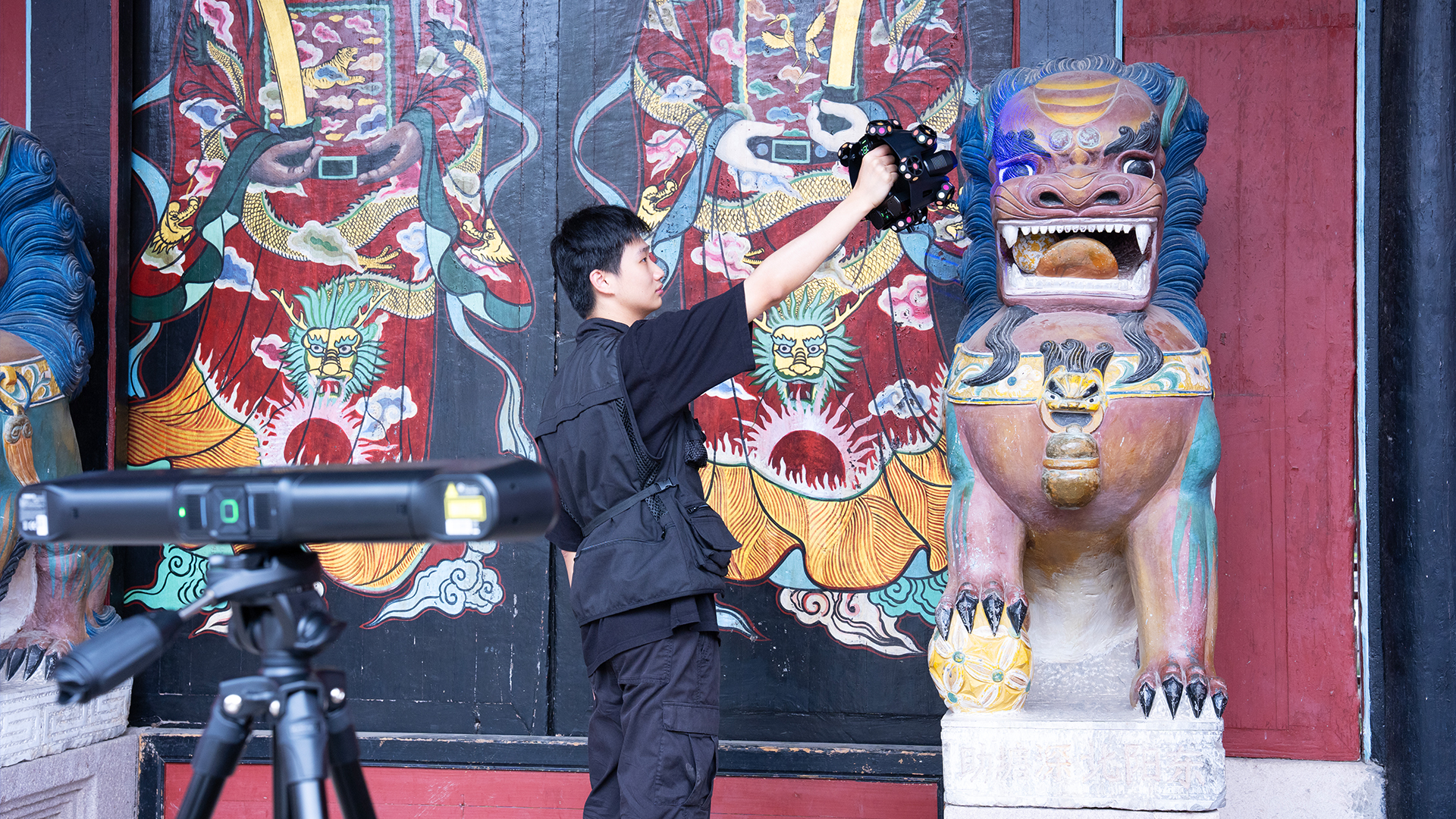
TitleWireless 3D Scanner with Wi-Fi 6
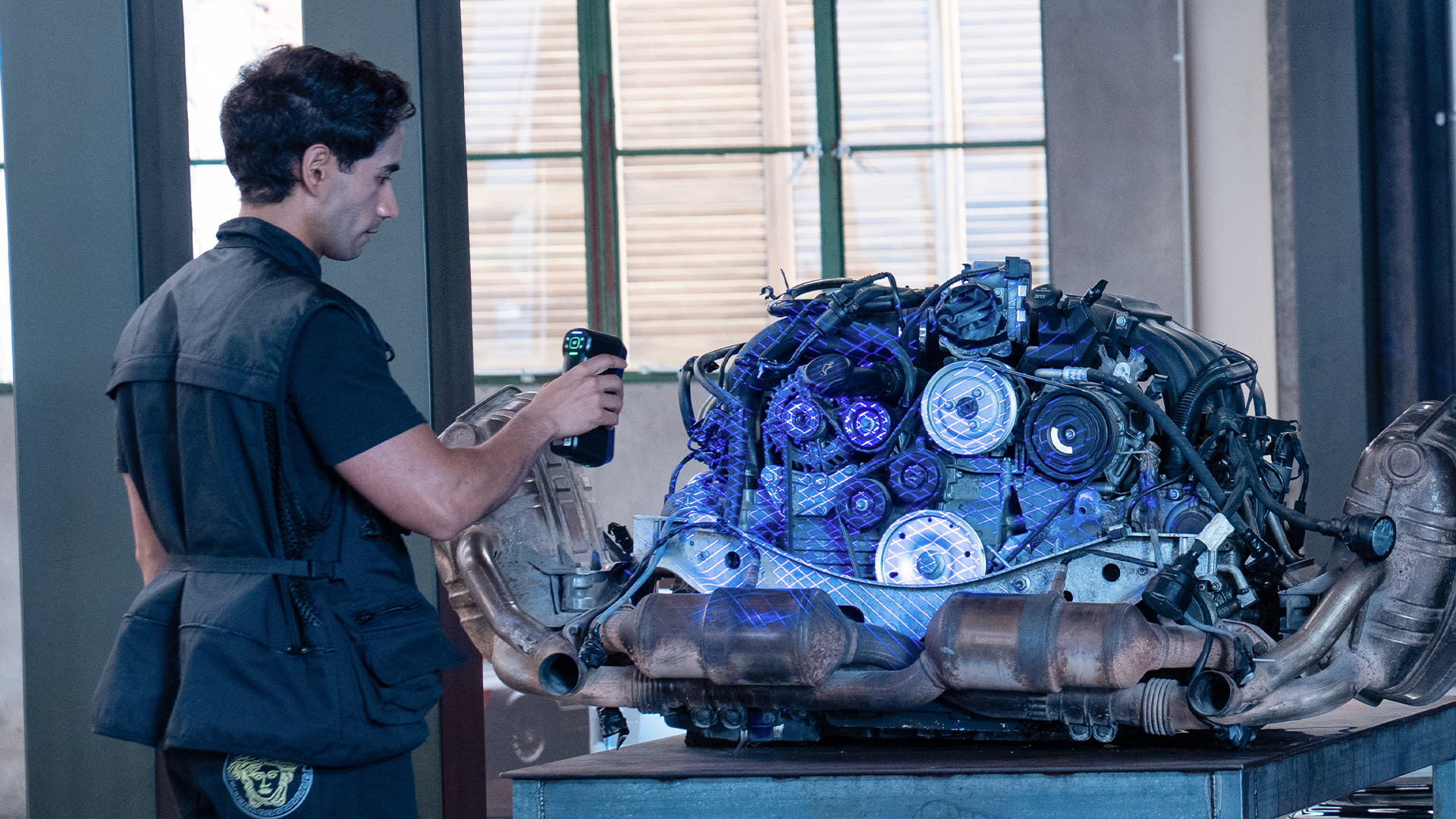
Greater freedom of movement during 3D scanning: The EinScan Trak supports wireless data transfer via Wi-Fi 6.
A dedicated router connects the tracker, scanner, and computer. The components can connect automatically upon startup.
The tracker and scanner are battery-powered, so a constant power supply is not required during scanning.
The system’s battery life is up to 5.5 hours. Additionally, the system supports battery replacement during operation.
This makes the EinScan Trak particularly well-suited for mobile scanning projects and the digitization of large objects.
TitleUp to 15m³ of tracking volume
With a tracking volume of up to 15m³, the EinScan Trak offers sufficient freedom of movement for scanning larger objects.
Vehicles, machine components, molds, sculptures, or larger assemblies can thus be scanned efficiently.
For objects that extend beyond the direct tracking range, the tracker can be repositioned to expand the scanning area.
TitleThree blue laser modes for different scanning tasks
Depending on the object and the desired level of detail, three different laser configurations are available:
38 intersecting laser lines for fast 3D scanning | 7 parallel laser lines for fine details | Single laser line for deep areas |
19 + 19 crossed laser lines enable rapid scanning of large areas and objects. | With 7 parallel laser lines, fine contours, lines, and sharp edges can be captured in greater detail. | A single laser line makes it possible to scan hard-to-reach and deep geometries. |
This mode is particularly well-suited for vehicles, large components, and other complex geometries. | The resolution – or dot pitch – can be as small as 0.05mm. | This makes it possible, for example, to digitize recesses and complex areas on technical components with precision. |
Up to 2.63 million points per second
With a maximum scanning speed of 2,630,000 points per second, the EinScan Trak captures large amounts of data in a short amount of time.
In tracking mode, it offers a maximum field of view of 4,796×4,174mm at a distance of 4,000mm.
As a standalone handheld scanner, the system achieves a maximum field of view of 547×463mm at a distance of 500mm.
Color 3D scans with a 5-MP texture camera
In addition to pure geometry, the EinScan Trak can also capture an object’s color.
It features a built-in 5-megapixel texture camera.
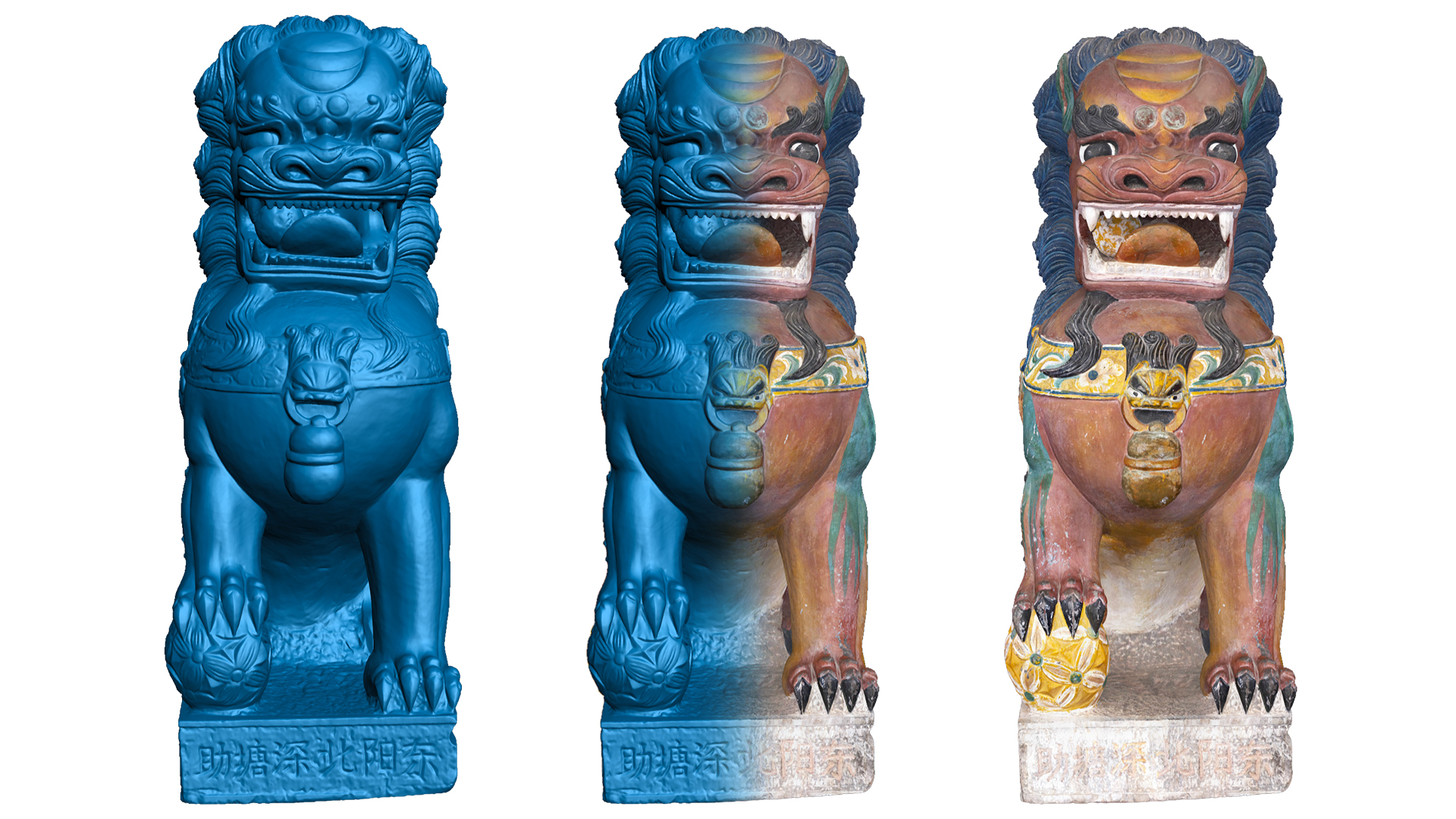
The combination of precise geometry and color information expands the range of applications, for example, in the digitization of works of art, historical objects, sculptures, and cultural artifacts.
Scanning black & reflective surfaces
The EinScan Trak was also designed for challenging surfaces.
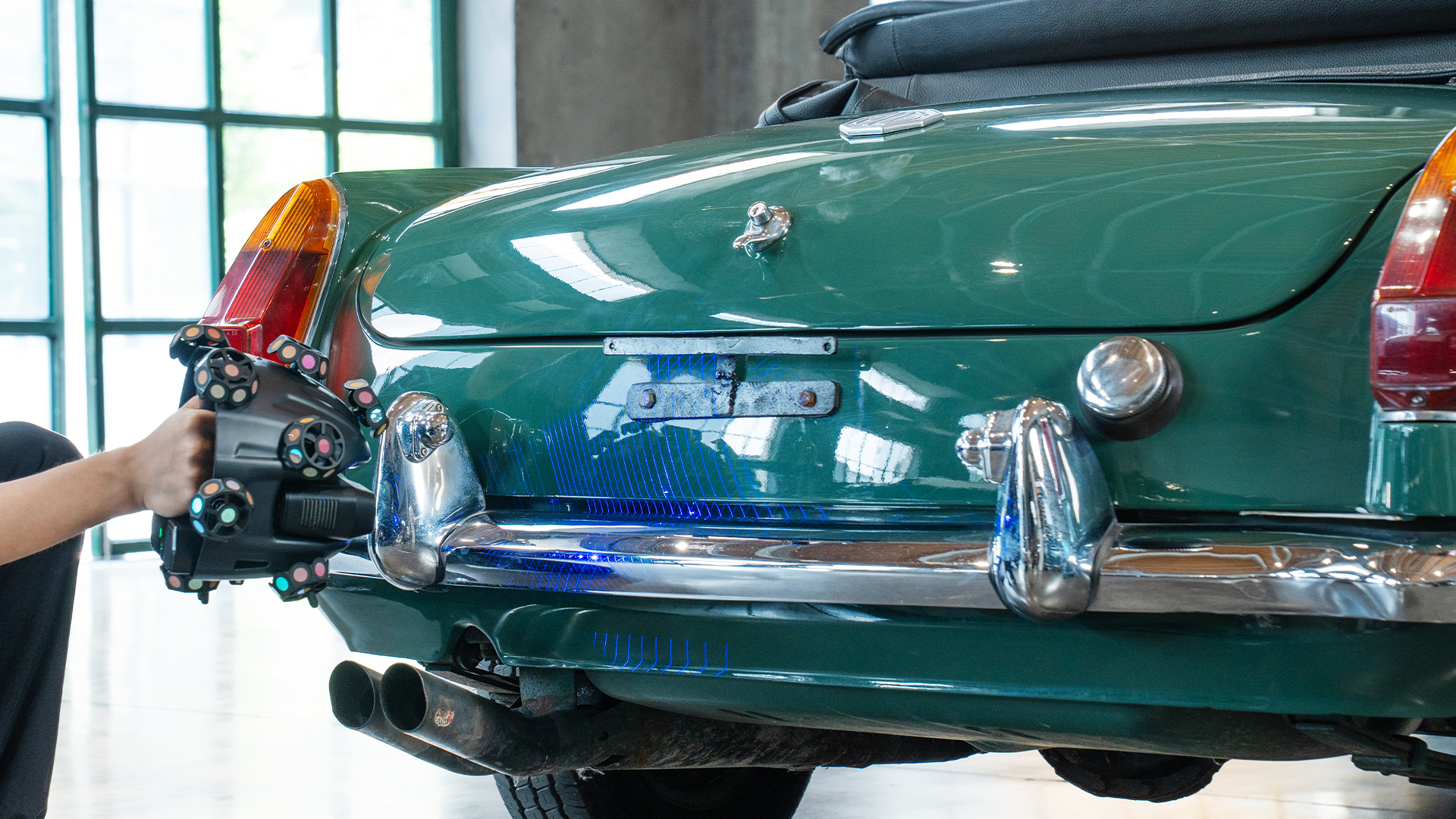
Black and reflective materials – such as those found on vehicles or wheel rims—can be scanned using the blue laser system.
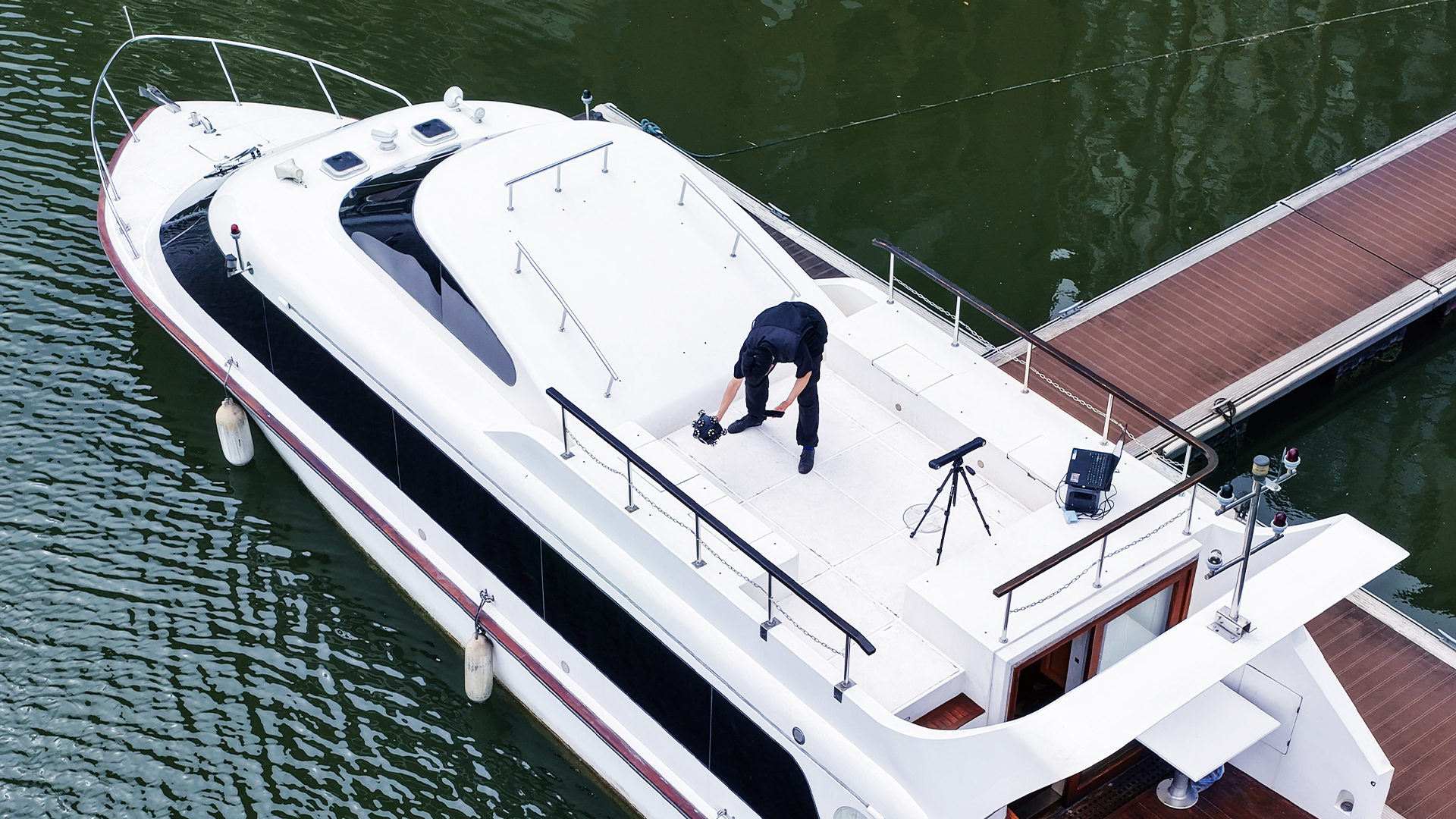
Outdoor use is also possible. According to the manufacturer, the system supports ambient light levels of up to 110,000 lux.
Lightweight, portable, and versatile
Despite its large tracking range, the EinScan Trak remains compact.
The tracker weighs 1.02kg, while the standalone handheld scanner weighs just 0.48kg.
This makes the system suitable for both stationary use and mobile 3D scanning projects directly at the customer’s site.

TitleEinScan Trak applications
Thanks to its combination of markerless tracking, high scanning speed and a portable handheld scanner, the EinScan Trak 3D scanner is suitable for a wide range of professional applications.
Optical tracking significantly reduces the amount of preparation required, particularly for medium-sized and large objects.
Reverse Engineering & Product Development
Existing components can be precisely digitized and then used as the basis for CAD models, replacement parts, customized designs, or new products.
Industry & Large Components
Machine components, tools, molds, assemblies, and other large objects can be digitized efficiently using optical tracking, without the need for time-consuming application of reference markers to the object’s surface.
Automotive & Vehicle Modifications
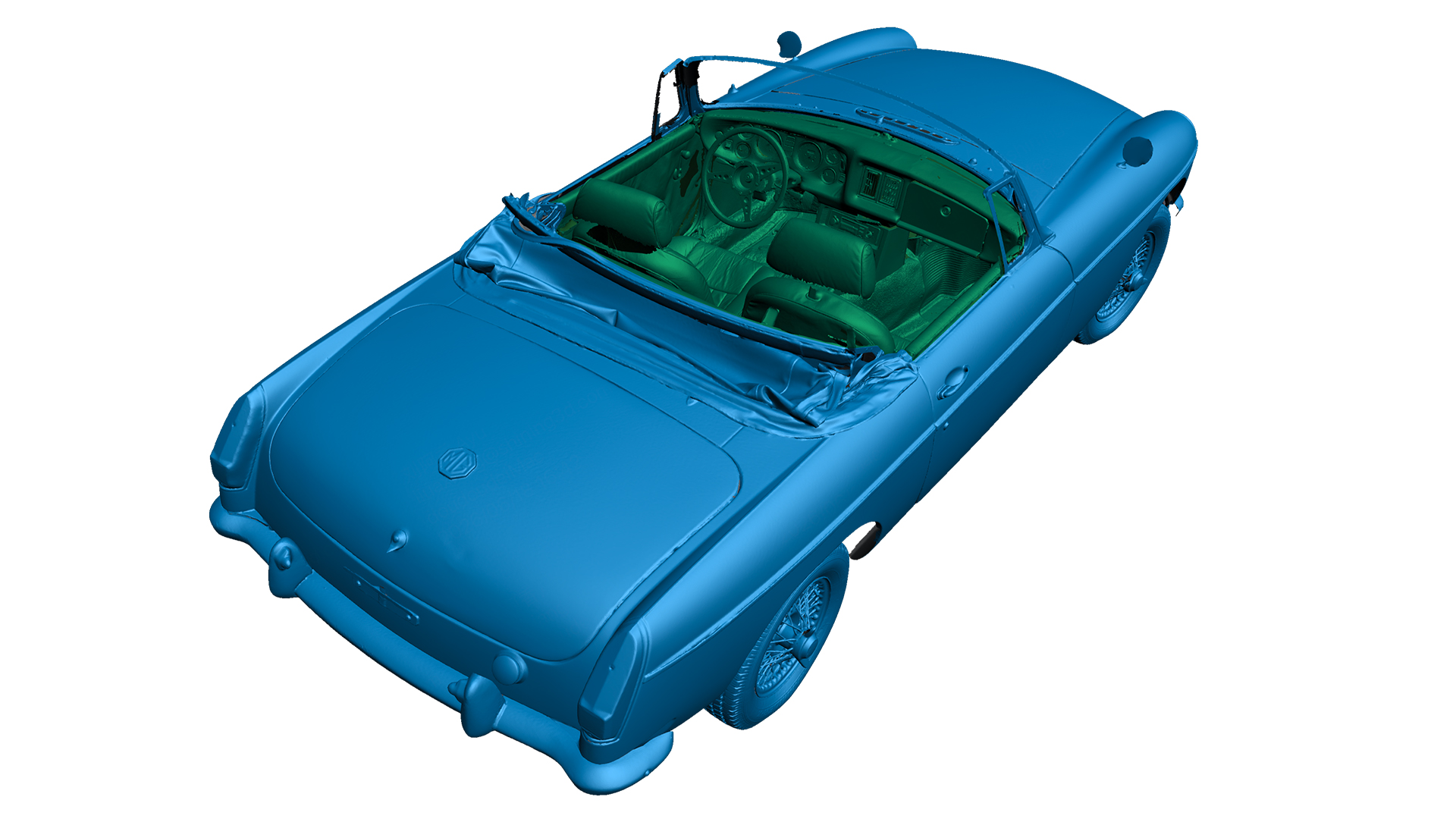
Vehicles, car bodies, interiors, rims, and individual vehicle components can be scanned in three dimensions. The scan data can be used, for example, to create custom add-on parts, modify vehicles, or design components that fit perfectly.
Custom Manufacturing
3D scans can serve as a digital foundation for custom-made products and individually tailored components, thereby bridging the gap between the physical object, the 3D model, and the CAD design.
Art & Cultural Heritage
Sculptures, historical objects, archaeological finds, and works of art can be documented in 3D without physical contact. The integrated texture camera also allows for the capture of color information.
TitleEinScan Trak: How It Works, Explained Simply
The EinScan Trak combines a blue laser 3D scanner with an optical tracker. This allows the system to capture the surface of an object while simultaneously determining the scanner’s position in space.
This enables a highly flexible workflow for digitizing small, medium, and large objects.
There are essentially two operating modes available:
- Tracking Mode
- Handheld Scanner Mode
Both modes can be used within a single scan project and combined with one another.
TitleHow does optical tracking work?
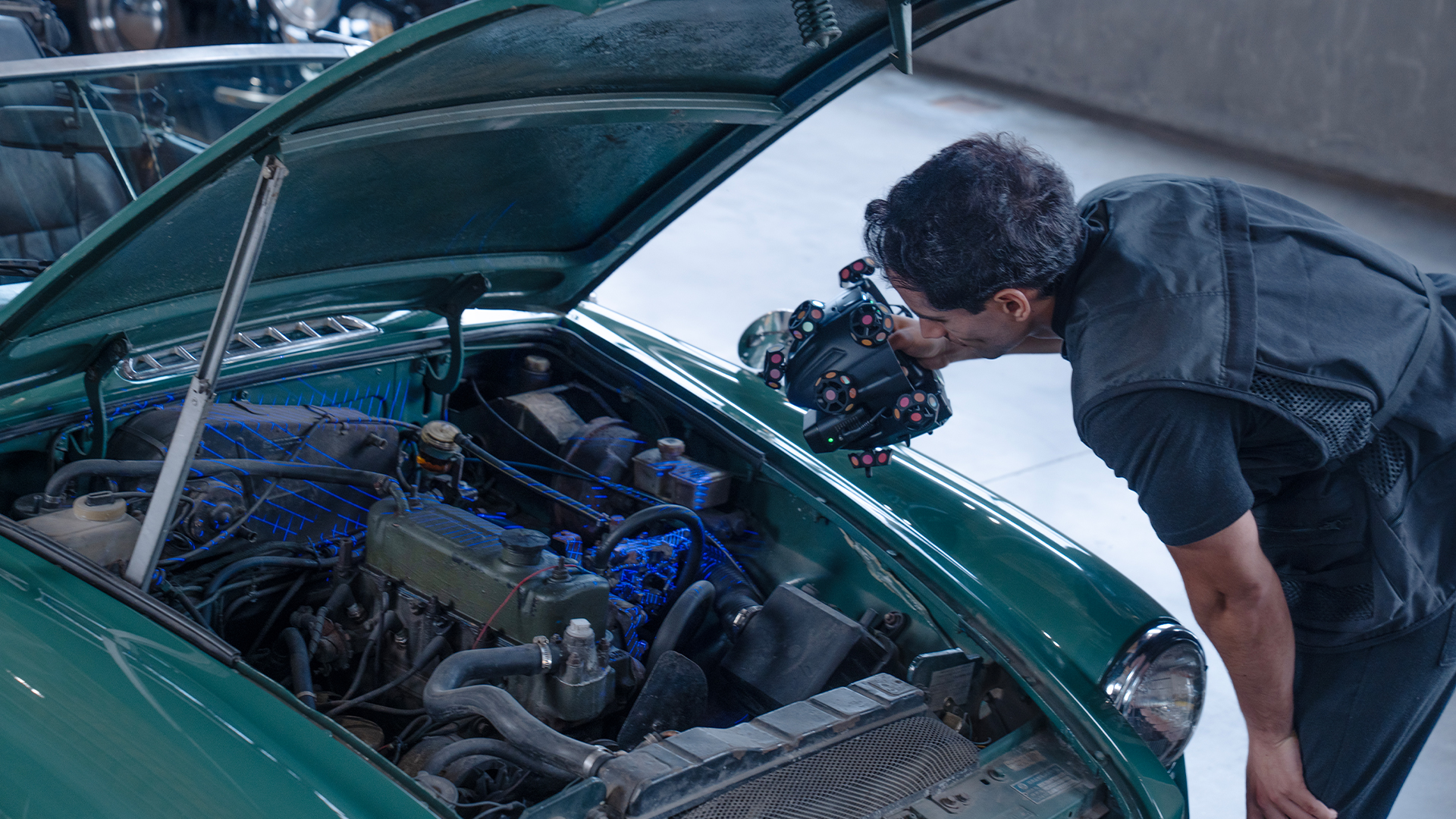
With optical tracking, the tracker continuously monitors the spherical scanner module.
This module features retroreflective reference markers. Using these markers, the tracker can determine the position and orientation of the 3D scanner in real time.
The key advantage is that the markers are already an integral part of the scanning system.
In many applications, therefore, there is no need to attach reference markers to the object being scanned.
As the user moves the scanner around the object, the tracker tracks its position, and the software continuously assembles the captured 3D data.
TitleTracking mode for large objects
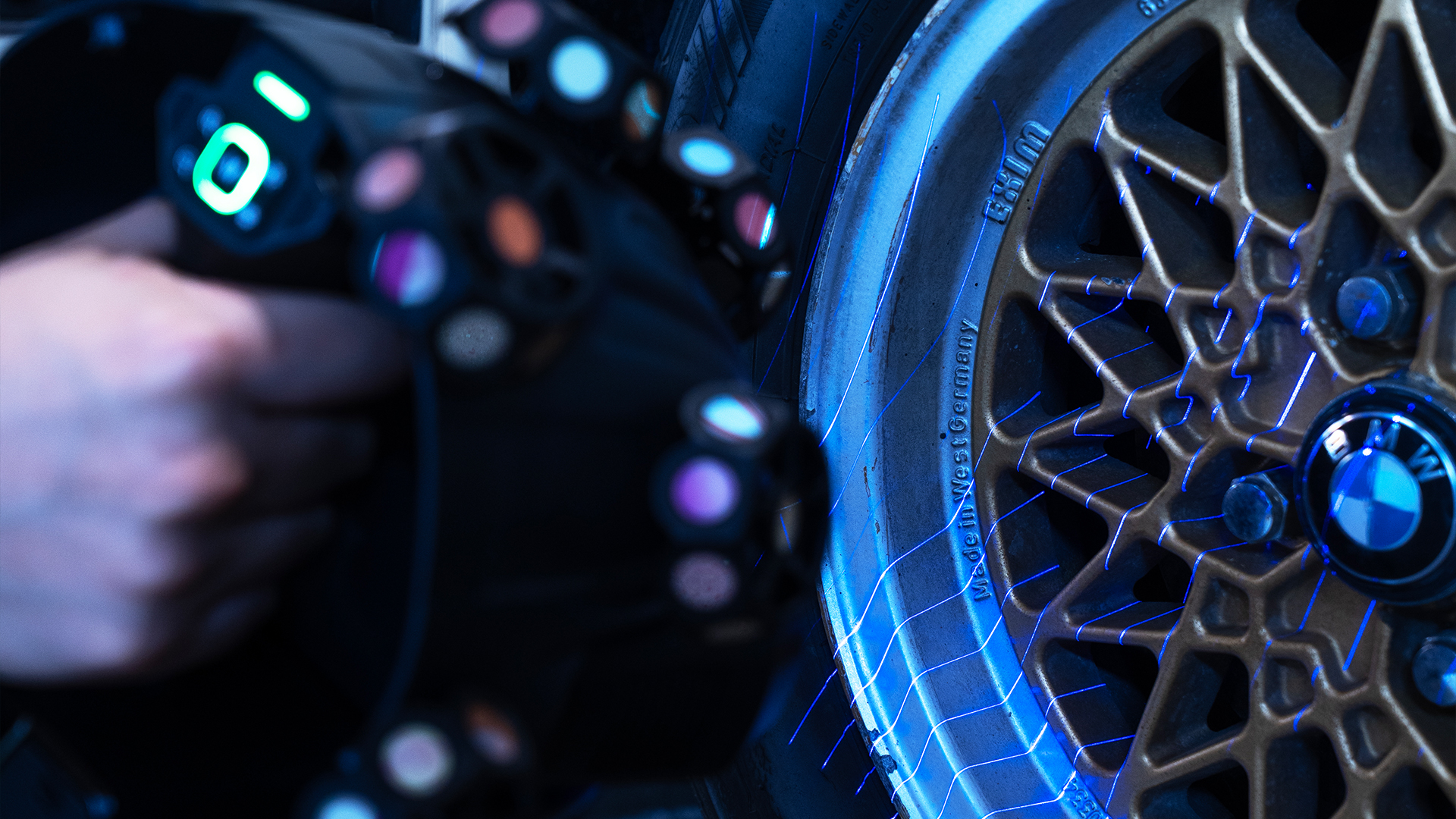
Tracking mode is particularly well-suited for medium-sized and large objects.
With a tracking volume of up to 15m³, the system can capture objects such as vehicles, machine components, molds, sculptures, or larger assemblies.
The system tracks the scanner’s position in real time throughout the entire scanning process.
As a result, the time-consuming preparation of the object with reference markers is no longer necessary for many applications.
TitleHandheld scanner mode for smaller objects and hard-to-reach areas
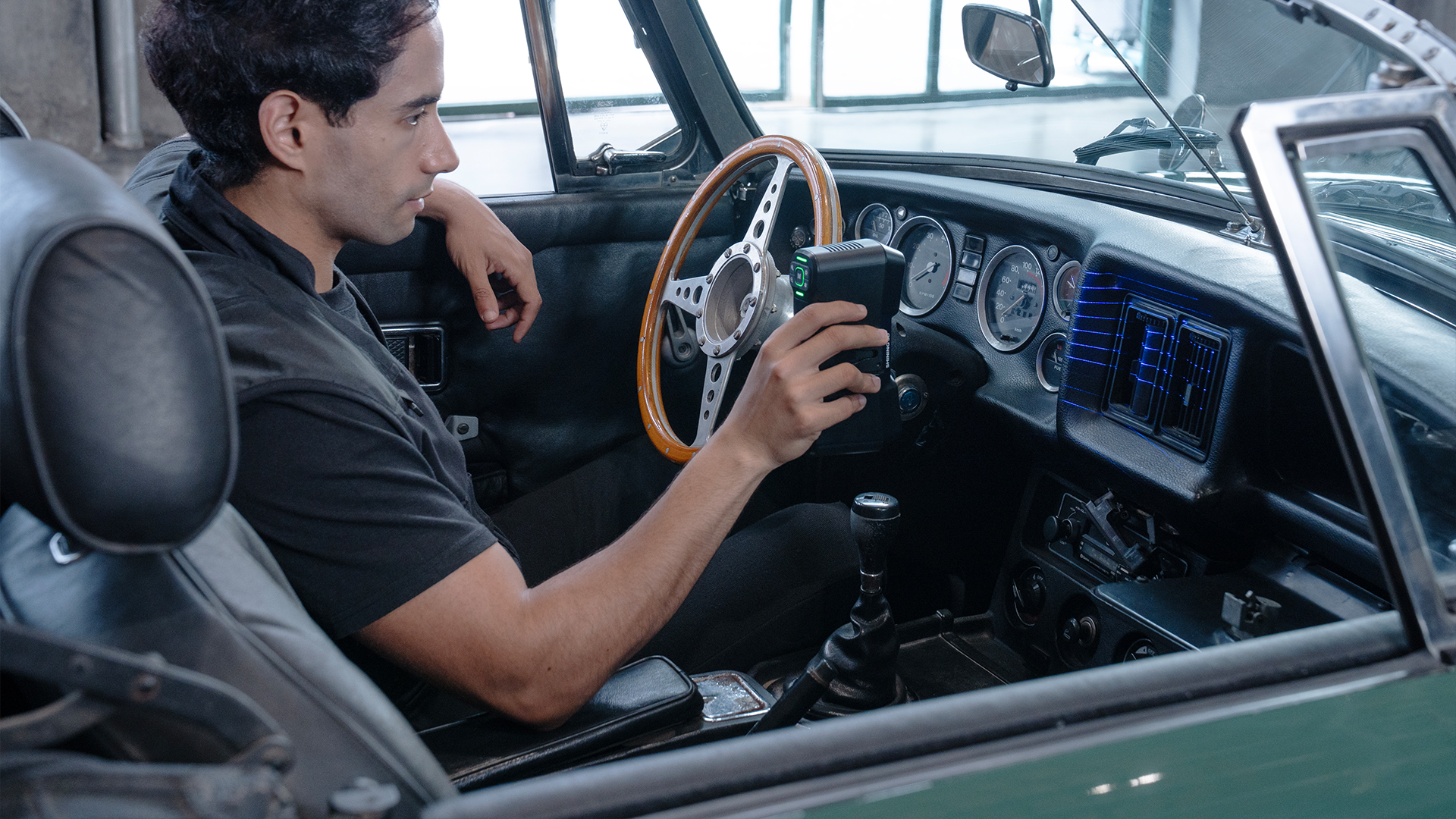
The actual 3D scanner can be removed from the spherical scanner module.
It can then be used as a compact, wireless 3D handheld scanner.
This mode is particularly suitable for:
- small and medium-sized objects
- hard-to-reach areas
- confined spaces
- highly detailed surfaces
- areas outside the tracker’s field of view
You can switch to handheld scanner mode without having to recalibrate.
TitleCombine tracking and handheld scanner modes
Both scanning methods can be combined within a single project.
For example, a vehicle can first be scanned over a large area in tracking mode.
The scanner is then removed from the frame to capture hard-to-reach or particularly detailed areas in handheld mode.
Data with different resolutions can also be merged within a single project.
TitleHow does the EinScan Trak capture the surface?
The EinScan Trak projects blue laser lines onto the object, captures them with its cameras, and uses this data to calculate the three-dimensional geometry of the surface; three different laser configurations are available for various scanning tasks.
19 + 19 crossed laser lines | 7 parallel laser lines | Single laser line |
The 38 intersecting laser lines enable particularly fast data capture. | The 7 parallel laser lines are designed for more detailed data capture. | A single laser line is also available for deep and hard-to-reach areas. |
This mode is suitable for larger surfaces and objects where high scanning speed is critical. | It allows you to capture, for example, sharp edges, contours, and small geometric details. | It is suitable, for example, for recesses and complex geometries in reverse engineering. |
TitleWireless 3D scanning via Wi-Fi 6
The tracker and scanner are connected wirelessly.
A router included in the package connects the components to the computer via a dedicated network.
Once powered on, the system can connect automatically and is then ready for wireless 3D scanning.
The tracker and scanner have their own rechargeable batteries. As a result, neither data cables nor a permanent external power supply are required during normal wireless operation.
TitleFrom a Real-World Object to a Digital 3D Model
A typical EinScan Trak workflow looks like this:
1. Position and start the tracker and scanner.
2. Select tracking or handheld scanner mode.
3. Set the appropriate laser mode and the desired resolution.
4. Capture the object piece by piece with the scanner.
5. Monitor scan progress and data quality in real time.
6. If necessary, capture detailed areas at a higher resolution.
7. Edit the point cloud or 3D data.
8. Generate and export the 3D model.
9. Process the data further in CAD, measurement, or reverse engineering software.
TitleWhat software is used with the EinScan Trak?
EXScan Trak is used for data capture.
Among other things, the software supports the combination of different scan modes and resolutions, as well as switching between various laser and resolution settings.
For downstream workflows, the data can be further processed in solutions for reverse engineering, 3D surveying, and quality control, for example.

TitleEinScan Trak technical specifications at a glance
The EinScan Trak from SHINING 3D combines optical tracking and a detachable laser 3D handheld scanner in a single system.
With a scanning speed of up to 2,630,000 points per second, volumetric accuracy of up to 0.1mm, and a resolution or point spacing of up to 0.05mm, the system is designed for professional 3D digitalization tasks.
TitleEinScan Trak Specifications
| Technical Specifications | EinScan Trak |
|---|---|
| Scanning System | Optical Tracking + Detachable 3D Handheld Scanner |
| Operating Modes | Tracking Mode / Handheld Scanner Mode |
| Light Source | Blue Laser |
| High-Speed Mode | 19 + 19 Cross Laser Lines |
| Detail Mode | 7 Parallel Laser Lines |
| Deep Hole Scanning | Single Laser Line |
| Volumetric Accuracy | Up to 0.1mm |
| Resolution / Point Distance | 0.05 – 10mm |
| Maximum Scan Speed | 2,630,000 points/s |
| Maximum Field of View – Tracking | 4,796x4,174mm at 4,000mm |
| Maximum Field of View – Handheld Scanner | 547x463mm at 500mm |
| Tracking Volume | Up to 15m³ |
| Texture Camera | 5 MP |
| Wireless Connection | Wi-Fi 6 |
| Battery Life | Up to 5.5 hours |
| Tracker Weight | 1.02kg |
| Spherical Scanner Module – Weight | 1.46kg |
| Handheld Scanner – Weight | 0.48kg |
| Export Formats | STL, OBJ, PLY, 3MF, ASC |
| Operating Temperature | -10°C to 40°C |
| Operating Humidity | 10% - 90% RH, non-condensing |
| Certifications | CF, FCC, RoHS, WEEE, FDA, SRRC, IP50 |
EinScan Trak accuracy | EinScan Trak resolution | EinScan Trak scanning speed |
SHINING 3D specifies a volumetric accuracy of up to 0.1mm for the EinScan Trak. | The adjustable point distance, or resolution, ranges from 0.05 to 10mm. | The maximum scanning speed is 2,630,000 points per second. |
This makes the system suitable for professional 3D digitalization tasks, for example in reverse engineering, automotive applications, and product development. | A smaller point distance can be selected for highly detailed areas. For larger surfaces with fewer details, a coarser resolution can be useful to reduce the amount of generated data. | For fast scanning of large surfaces, 19 + 19 cross laser lines are available. For more detailed areas, users can switch to 7 parallel laser lines. |
TitleEinScan Trak system requirements
For a high-performance scanning workflow, SHINING 3D recommends the following PC configuration, among others:
| Components | Recommended Hardware |
|---|---|
| Operating System | Windows 11 Professional, 64-bit |
| Processor | Intel i7-13650HX / AMD Ryzen 9 8945HS or higher |
| Graphics Card | NVIDIA GeForce RTX 4060 or higher |
| Graphics Memory | 8 GB VRAM or more |
| RAM | 64GB DDR Dual-Channel or more |
| USB | USB 3.0 |
TitleWhat file formats does the EinScan Trak support?
The 3D data generated by the EinScan Trak can be exported in various standard formats.
Supported formats include:
- STL,
- OBJ,
- PLY,
- 3MF, and
- ASC.
This allows the data to be further processed in numerous CAD, reverse engineering, inspection, and 3D software solutions.
TitleSoftware for the EinScan Trak
EXScan Trak software is available for the actual data capture.
For downstream workflows, solutions for reverse engineering, 3D surveying, and quality control, among others, can be used.
These include, for example:
- EXModel
- EXMeasure
- Geomagic Design X
- Geomagic Control X
- PolyWorks
- BlueStar Mapping

Better Advice for Users
If you're interested in our services or would like to learn more about the EinScan Trak, give us a call today to schedule a free, no-obligation consultation. We'll answer all your questions.